Organizers: 6 Steps to Upload DUPR Scores via CSV, Delete Rows 1–10
Organizers: 6 Steps to Upload DUPR Scores via CSV, Delete Rows 1–10

The fastest way to upload DUPR scores is through the Add Matches flow on the DUPR app or website for single results, or the Import Matches via CSV tool under Clubs → Matches for bulk uploads. Single entries need a winner-confirmed score and correct player profiles. Bulk imports need the official CSV template with its instruction rows deleted before export. Either way, the match won’t move anyone’s rating until every participant validates it.
TL;DR:
- Most match uploads require participants to validate results before ratings are updated, with the process often taking a week or longer.
- Manual web entry is suitable for a small number of matches, but bulk CSV uploads save significant time during tournaments with many results.
- Careful preparation, including deleting instruction rows, verifying players’ profiles, and confirming correct scoring, reduces upload failures.
- Organizers should create participant accounts in advance and set a short validation window to minimize disputes and streamline rating updates.
- Using the official DUPR help pages ensures accurate data entry and understanding of the validation process, preventing common errors.
Table of Contents
- How Do I Add a Match on the DUPR Web?
- Bulk Uploads: How Do I Use the DUPR CSV Template?
- Can I Enter Matches in the DUPR App?
- How Long Does DUPR Validation Take?
- Why Did My CSV Upload Fail?
- What Should Organizers Do Before Submitting Match Results?
- What Happens to a Rating After a Match Is Uploaded?
- Publisher perspective: accuracy at entry beats cleanup later
- Let FlexLeague+ Handle the DUPR Reporting for You
- Where to Find the Official DUPR Documentation
- Sources
- FAQ
How Do I Add a Match on the DUPR Web?
Manual entry works best for one match, or a handful right after a league night wraps up. It’s slower than a CSV import, but there’s less room for a formatting mistake to derail the whole batch.
Here’s the exact path:
- Go to Clubs → My Clubs, select your club, then click the Matches tab.
- Click Add Matches, then add players. You can pull from existing club members or invite new players by name and email.
- Double check that each name links to the correct DUPR profile. Two “Mike Johnsons” in the same club is a real problem, and fixing it after submission is more work than catching it before.
- For doubles, enter your partner first, then the opposing team. Order matters more than most people assume. Entering it backward is a documented cause of partner and opponent swaps that require a correction later.
- Choose Standard or Rally scoring, then enter full set scores. The system needs a clear winner to accept the match.
- Click Add Another Match if you have more results from the same session, then hit Submit Matches once everything looks right.
Submitted results land in the club’s Matches tab, where you can open the three-dot menu next to any entry to edit or delete it. That menu is also where you go if someone catches a scoring typo before the match gets validated.
Pro Tip: Screenshot or photograph the physical scorecard before you leave the courts. If a dispute comes up during validation, you’ll want the original record, not your memory of who served first.
Bulk Uploads: How Do I Use the DUPR CSV Template?
Once you’re logging more than a few matches, the CSV import is the only sane option. A weekend tournament with 40 matches through manual entry would take an hour of clicking. The same file through CSV takes minutes.
- In your club dashboard, go to Clubs → Matches → Add Matches → Import Matches via CSV, then click Download Template. Review the Column Reference tab so you know exactly what each field expects.
- Fill in every required column: player names or emails, scores, format, and date. Accuracy here matters because DUPR won’t guess at a missing winner.
- Delete rows 1 through 10. Those rows hold instructions, not data, and leaving them in is the single most common reason bulk uploads fail.
- Export using File → Download → Comma-separated values (.csv). Keep the original filled spreadsheet as a backup in case you need to troubleshoot later.
- Return to Clubs → Matches → Add Matches → Import Matches via CSV, select your saved file, and click Upload.
- Check the club’s Matches tab and a few player profiles to confirm the results landed where they should.
Pro Tip: Run a test batch of three or four matches before uploading the full tournament file. If the small batch imports clean, you’ve confirmed your formatting works, and a failure on the full file points to a specific row rather than the whole sheet. A pristine backup and a small test run will save more time than any other single habit here.
Can I Enter Matches in the DUPR App?
The mobile app covers single-match entry well, but it has one hard limit worth knowing up front: it does not accept CSV files. If you’re running a tournament with dozens of results, do that work on the web. The app is built for a player logging their own match right after it happens.
The flow looks like this:
- Open the app and go to your club page, or tap New Match → Add Match.
- Add players, entering your partner first for doubles.
- Choose the scoring format, then enter set scores for each game played.
- Add the event name or location if you want the match tied to a specific tournament or league night.
- Submit, then move on. The app handles single-entry self-reporting cleanly, but nothing more.
Search carefully when adding players. Typing a partial name and grabbing the first result that pops up is how duplicate profiles get created, and untangling two accounts for the same person later is far more annoying than typing three extra letters now.
How Long Does DUPR Validation Take?
Uploading a match, whether by app, web, or CSV, doesn’t change anyone’s rating by itself. Every other participant in that match has to validate it first.
- If any participant denies the match, it’s removed entirely, and nobody’s rating moves.
- There’s no fixed guaranteed turnaround. Check the club Matches tab and the affected player profiles directly to see current status.
- Reliability scores update on a weekly cadence, separate from the day-to-day validation process.
Reliability is DUPR’s way of flagging how much confidence to put in a given rating. Players with fewer matches carry less certainty in their rating than those with many matches at the same level. Consistent, verified submissions from clubs and leagues carry more weight in that calculation than casual self-reported results, according to DUPR’s own explanation of how ratings work. That’s part of why organizers who upload cleanly, on a regular schedule, tend to see their players’ reliability climb faster than players relying purely on pickup games.
Why Did My CSV Upload Fail?
Most import failures trace back to the same handful of causes, and almost all of them are avoidable with one extra pass through the file before you hit upload.
- Instruction rows still in the file. Rows 1 through 10 of the template are guidance, not data. If they’re still there at export, the import will reject or misread the file.
- Wrong player assigned to a match. Open the match from the Matches tab, use the three-dot menu to edit or delete it, then resubmit with the correct name. Double check the invited player’s email address if their account hasn’t activated yet.
- A rating jump nobody can explain. Before assuming a bug, check for recently added, edited, or deleted matches, merged duplicate accounts, or a corrected score. Historical edits can retroactively shift a rating, which surprises a lot of players who assumed their number was locked in.
- Missing backup. Keep the original scorecards and your filled CSV until validation clears. If something goes wrong, you’ll want the source material, not a memory of what you typed.
Pro Tip: Name your backup files with the event date and division, like “March2026_MensDoubles_final.csv”. When you’re troubleshooting three tournaments deep, that habit saves real time.
What Should Organizers Do Before Submitting Match Results?
The gap between a smooth upload and a week of cleanup usually comes down to preparation, not luck.
- Use the CSV invite option to create accounts by name and email for players who don’t have DUPR profiles yet. You can log their matches immediately, and once they create an account with that same email, the match history attaches automatically.
- Confirm every player maps to the correct existing profile before you submit anything. For doubles matches, enter the partner first, then the opponents, every time.
- Set a short correction window, a day or two, and tell participants before the bulk upload goes out. Giving people a heads up before validation requests land in their inbox measurably reduces denials.
- Hold onto the source scorecards, event name, date, and the original CSV file for at least as long as the validation window stays open.
A club that runs this checklist every event ends up spending far less time chasing down disputed matches than one that uploads first and sorts out problems after players start complaining.
What Happens to a Rating After a Match Is Uploaded?
DUPR doesn’t just tally wins and losses. The algorithm weighs performance against expectation, so a narrow win against a much lower rated opponent can actually pull a rating down, while a close loss to a stronger player can push it up. Every point in the score matters, not just the final tally.
- A brand new player moves from NR (not rated) to an initial rating after their first valid, validated match.
- That number stays shaky at first. Somewhere in the range of 10 to 20 matches is generally what it takes for a rating to settle into something dependable.
- Reliability is the separate signal that tells organizers how much to trust that number when seeding brackets or setting up leagues, which is worth understanding in more detail if you’re building competitive divisions around it, as covered in FlexLeague+'s breakdown of how DUPR ratings work.
Publisher perspective: accuracy at entry beats cleanup later
Most of the frustration players report with DUPR traces back to entry mistakes, not the algorithm itself. A misassigned player, a missing instruction row deletion, a partner entered in the wrong slot. These are small errors with outsized consequences, and they’re exactly what league management software built around DUPR integration is designed to catch before submission rather than after a rating swings unexpectedly.
The habits that matter most are unglamorous: delete the template rows, keep a backup, give participants a short window to flag problems before validation closes. Organizers who standardize those steps across every event see fewer denials and cleaner ratings for their players, season after season.
— Robert
Let FlexLeague+ Handle the DUPR Reporting for You
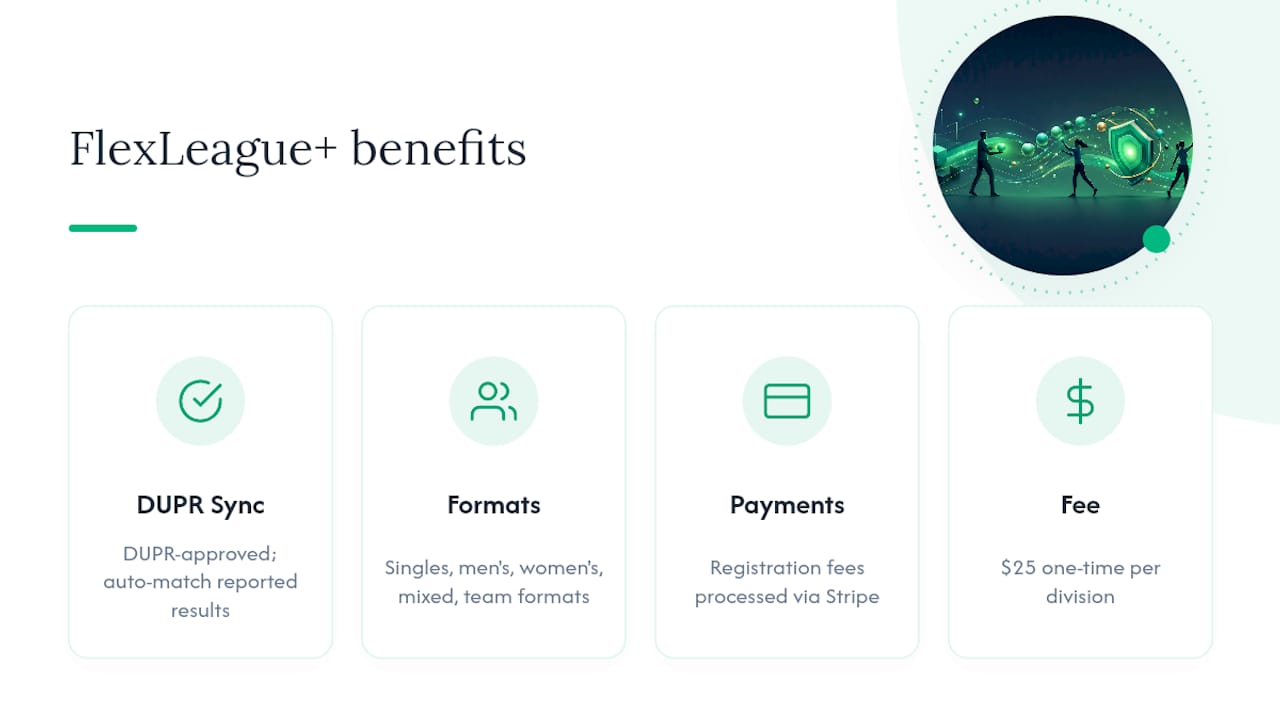
Running a league already means chasing registrations, building brackets, and now matching every score to the right DUPR profile without a typo. FlexLeague+ folds that last piece into the same platform you use for everything else. Because the software is DUPR approved, match results your players report get tied to verified profiles automatically instead of routing through a separate spreadsheet or manual CSV every week.

FlexLeague+ supports singles, men’s doubles, women’s doubles, mixed doubles, and team formats similar to MLP, with automated scheduling, live standings, and playoff brackets built in. Registration fees run through Stripe, so player payments and league operations sit in one place instead of three. There’s no monthly subscription: organizers pay a $25 one time platform fee per division.
If you’re setting up a season and want DUPR reporting handled inside the same tool you use for scheduling and payments, take a look at the pickleball league software overview or visit FlexLeague+ to see what a division looks like end to end.
Where to Find the Official DUPR Documentation
Bookmark these before your next tournament. DUPR updates its own help pages faster than any third-party guide can track, so these stay the authoritative reference for exact field requirements and policy language.
- Adding Matches via CSV covers the template, Column Reference, and upload steps in full.
- How to add a match explains web and app single-entry, including format-specific fields.
- How match validation works details the participant confirmation process and what happens on a denial.
Sources
- Adding Matches via CSV – DUPR
- Club resources — DUPR
- How to add a match – DUPR
- How match validation works – DUPR
FAQ
How Do I Submit a DUPR Match Result?
Submit a single match through the app or the web’s Matches → Add Matches flow, entering players, format, and set scores before clicking submit. For multiple results at once, use the CSV import under Clubs → Matches → Import Matches via CSV with the official template.
Is a 4.0 DUPR Score Good?
A rating near the mid-range generally places a player above casual recreational level and into solid competitive territory, though DUPR itself doesn’t publish a fixed skill label for each number. Context matters more than the raw figure, and ratings built on 10 to 20 matches tell you a lot more than those based on very few games.
How Can I Increase My DUPR Rating Quickly?
There’s no shortcut that bypasses the math: ratings move based on performance against expectation, so beating higher rated opponents by a solid margin helps more than routine wins against weaker players. Playing and uploading matches consistently, and making sure every result gets validated instead of denied, is what actually moves the number over time.
How Do I Check My DUPR Score?
Your current rating and reliability score appear on your player profile, viewable through the app or the DUPR website. Any club you belong to can also confirm your rating from the club’s Matches tab if you want a second place to verify it.
How Long Until an Uploaded Match Affects My Rating?
A match affects nothing until every other participant validates it, and DUPR doesn’t guarantee a specific turnaround time for that process. Check the club Matches tab or your player profile directly, and keep in mind that reliability scores update on a weekly cadence separate from individual match validation.