The Pickleball League Handbook for Managers
The Pickleball League Handbook for Managers
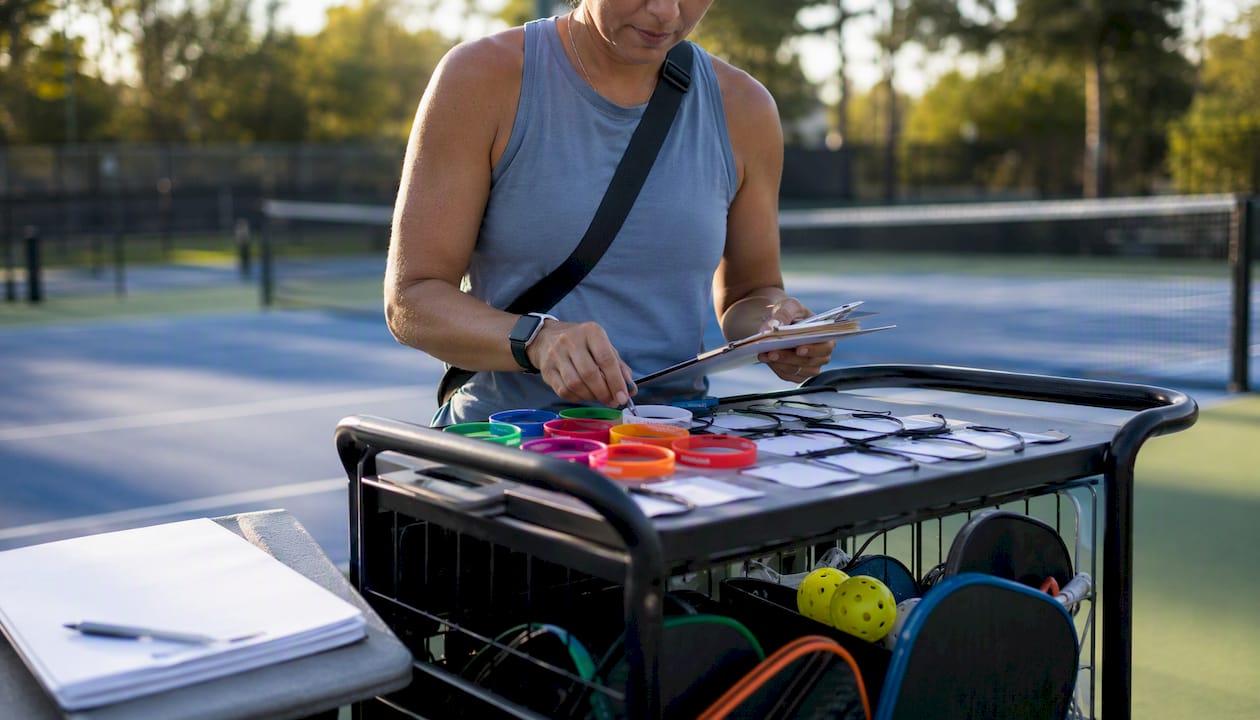
This handbook is a complete operations manual for running paid pickleball leagues end-to-end, covering registration, division setup, scheduling, score reporting, playoffs, and payment collection. Start here: set your registration open date, assign someone to score reporting, and connect Stripe to your payment account before anything else.
The sections below give you checklists, sample workflows, fee guidance, and a step-by-step Flexleagueplus implementation example you can follow this season.
Before you read further, do these three things:
- Set your registration open date and per-player fee
- Assign one person responsible for score entry and verification
- Enable Stripe in your league account or confirm your payment collection method
Key Takeaways
Running a paid pickleball league requires consistent enforcement of opt-in deadlines, a clear payment workflow through Stripe, and a standing formula published before the season starts.
| Point | Details |
|---|---|
| Start with three decisions | Set your registration date, fee, and assign a score reporter before anything else. |
| Enforce opt-in deadlines | An opt-in cutoff approximately one day before game day reduces no-shows and keeps court assignments clean every session. |
| Use DUPR IDs at signup | Capturing DUPR IDs at registration enables accurate seeding and result posting later. |
| Reconcile Stripe weekly | Match payouts to your registration count each week to catch payment gaps early. |
| Flexleagueplus covers the full stack | Registration, Stripe payments, scheduling, standings, brackets, and DUPR integration in one platform. |
Table of Contents
- What does a pickleball league handbook cover?
- One-page launch checklist for your first game day
- How to set up registration and collect payments
- How to organize divisions and formats
- Scheduling game days, court assignments, and no-show policies
- Score entry, standings, and DUPR integration
- Seeding, brackets, and playoff scheduling
- Player onboarding, waivers, and code of conduct
- Season timeline, staffing, and sample budget
- KPIs to track league health and financial performance
- Sample workflows and templates for registration, scheduling, and playoffs
- How to implement this handbook using Flexleagueplus
- Data privacy, waivers, and recordkeeping for US leagues
- What running dozens of leagues actually teaches you
- Flexleagueplus gets your league live faster
- Useful sources and further reading
What does a pickleball league handbook cover?
A pickleball league handbook is the manager’s operations playbook, not a rulebook for players. It covers every administrative decision from opening registration to closing the season’s books. The sections below walk through each phase in the order you’ll actually need them.
One-page launch checklist for your first game day
Pre-launch
- Lock court dates and times for the full season
- Set maximum player count and division structure
- Publish your refund policy and opt-in deadline before registration opens
- Confirm your fee structure (per-season, per-session, or member vs. non-member pricing)
Registration and payment
- Connect Stripe and test a $1 transaction before going live
- Set member vs. public pricing tiers if your facility uses memberships
- Configure a waitlist so you capture overflow registrations automatically
Game-day operations
- Post court assignments at least 30 minutes before first match
- Confirm who enters scores (manager, player, or designated scorekeeper)
- Have balls and any shared equipment staged at each court
Post-game
- Verify all scores within 24 hours of play
- Publish updated standings the same evening or by the next morning
- Reconcile Stripe payouts against your expected registration revenue weekly
How to set up registration and collect payments
What to collect at registration
Every registration form needs: full name, email, phone, date of birth (if age divisions apply), emergency contact, DUPR ID (optional but recommended), membership status, and a waiver checkbox with a date-stamped acceptance record. Keep the form short. Every extra field you add costs you registrations.
Pricing models
| Model | Best for | Notes |
|---|---|---|
| Per-season flat fee | Competitive leagues, committed players | Simplest to administer; highest upfront revenue |
| Per-session opt-in | Casual or recreational players | Reduces refund friction; players pay only for sessions they join |
| Member vs. non-member | Facility-based leagues | Rewards membership; common in parks and rec programs |
Session-based pricing and per-session opt-in models tend to reduce refund friction compared with all-season prepayments, particularly for recreational players who travel or have variable schedules.
Payment workflow with Stripe
Connect Stripe first. Automated receipts go out immediately on payment, which eliminates the “did you get my check?” follow-up. Decide upfront whether you’re charging the full season fee at registration or collecting per-session. Full-season collection is cleaner for reconciliation. Per-session works better for flex formats where players opt in weekly.
Pro Tip: Set your refund policy to “manager approval required” rather than automatic, so you can review late-drop requests before money moves. Publish the policy clearly at signup so players know what to expect.
Reconcile Stripe payouts against your registration count weekly. A mismatch usually means a failed payment or a refund that didn’t get logged. Catch it early.
How to organize divisions and formats
Choosing the right format
- Round robin: Best for small groups (8–16 players). Everyone plays everyone; standings are clean.
- Ladder: Good for skill-mixed groups. Players challenge up or down; ratings shift naturally.
- Flex league: Players self-schedule matches within a window. Works well for busy adults. See the flex league configuration guide for session sign-up workflows.
- Scramble/rotation: Social play; partners rotate each game. Low admin overhead.
Division sizing and skill tiering
Aim for 8–16 players per division for round robin and ladder formats. Below 8, the schedule gets thin. Above 20, you need sub-divisions or a pool-play structure. Use DUPR ratings as your primary seeding tool when players have them. For players without DUPR IDs, use a self-reported skill level at signup and adjust after the first two sessions.
| Division size | Recommended format | Seeding method |
|---|---|---|
| 6–8 players | Round robin | DUPR or self-reported |
| 8–16 players | Ladder or round robin | DUPR preferred |
| 12–24 players | Pool play + knockout | DUPR required |
| Above 20 players | Multiple divisions | DUPR required |
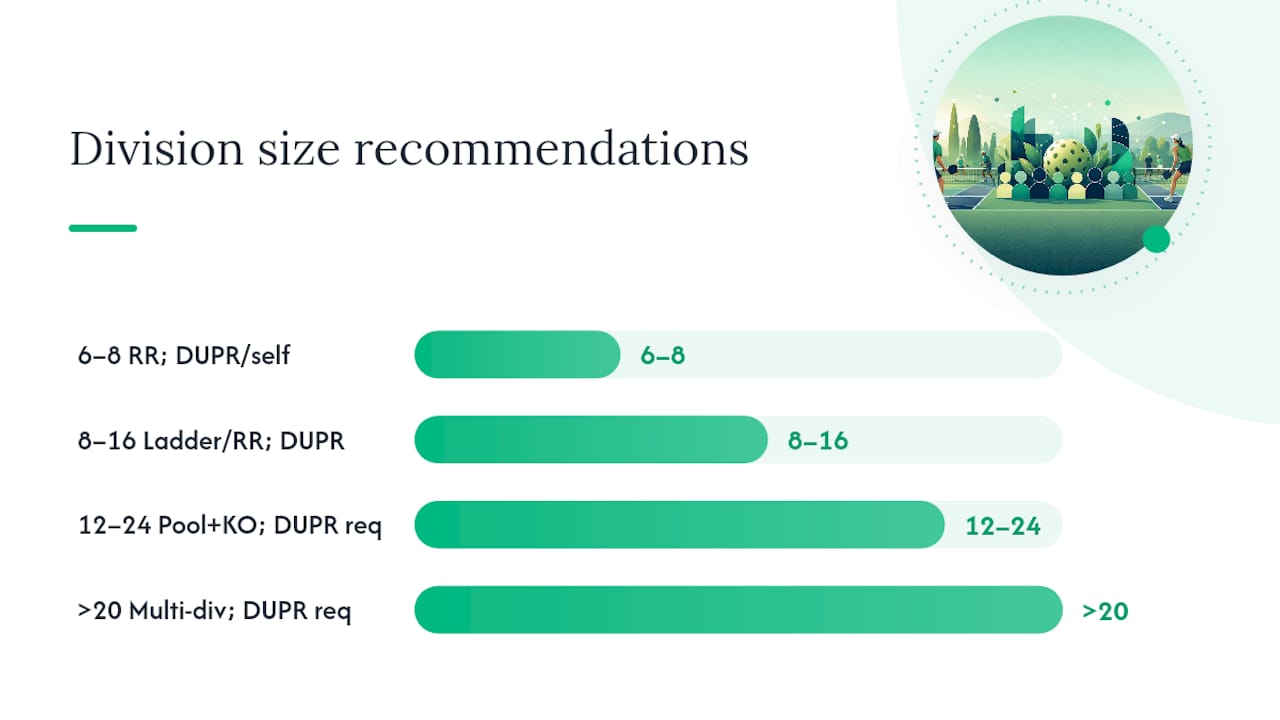
Pro Tip: Capture DUPR IDs at registration even if you don’t require them. You’ll use them for seeding and for posting results back to DUPR later. Players who care about their rating will thank you.
If a division falls below minimum, offer players a spot in the next closest division or issue a full refund. Never run a four-person round robin and call it a league.
Scheduling game days, court assignments, and no-show policies
Automated vs. manual scheduling
Automation wins for round robin and ladder formats where the matchup logic is deterministic. Manual override is appropriate when a court goes down mid-season or a key player has a documented conflict. Build override capability into your process from day one.
Court allocation
Map one match per court per time slot. Allow a 10-minute buffer between slots for changeovers. For a two-hour game night with four courts, you can run three rounds of 35-minute matches with buffers. Post assignments publicly before players arrive.
Opt-in and no-show policy
An opt-in cutoff approximately one day before game day is the standard that reduces no-shows and simplifies court assignments. Players who miss the deadline go to the waitlist. Waitlist players fill confirmed spots automatically when a drop occurs before the cutoff.
Numbered day-of workflow:
- Post court assignments 30 minutes before start
- Check in players as they arrive; mark no-shows at start time
- Substitute waitlist players for no-shows if they’re on-site
- Record forfeits for no-shows who gave no notice
- Collect scores from each court within 15 minutes of match end
- Post updated standings before players leave the facility
Score entry, standings, and DUPR integration
Score entry options
- Manager entry: Most accurate; slowest. Good for small leagues.
- Player entry: Fast; requires a verification step to catch errors.
- Designated scorekeeper: Best for competitive leagues; adds a staffing cost.
Player entry with a 24-hour manager review window is the most common setup for recreational leagues. It distributes the workload without sacrificing accuracy.
Standings formulas
Win percentage is the simplest primary metric. Use game differential as the first tiebreaker, then head-to-head record. For competitive divisions, a composite formula (win percentage + normalized game differential) produces more defensible standings.
Pro Tip: Publish your tiebreak rules before the season starts. A standings dispute is much easier to resolve when the rules are already posted.
DUPR integration
Require DUPR IDs for any division you want to post results to DUPR. Results from DUPR-approved platforms count toward player ratings when the match data is submitted correctly. Flexleagueplus is DUPR approved, which means league results can feed directly into player ratings without manual data entry.
For dispute resolution: player entry errors go to the manager for review. If both players contest a score, the manager’s decision is final. Document the resolution and keep a log.
Seeding, brackets, and playoff scheduling
Seeding methods
Use regular-season standings as your primary seed.
Bracket types
- Single elimination: Fast; one loss ends your run. Best for large fields with limited court time.
- Double elimination: Fairer; players get a second chance. Requires roughly twice the court time.
- Pool play + knockout: Best for 12–24 players. Groups of 3–4 play round robin, then top finishers advance.
- Consolation bracket: Keeps eliminated players engaged. Useful for social leagues.
For pickleball tournament formats and bracket templates, the Flexleagueplus blog covers each option with organizer-specific guidance.
Tiebreak and scheduling notes
For the last playoff spot, use head-to-head record first, then game differential. If still tied, schedule a single tiebreak match. Block courts for playoff days at least two weeks in advance. Budget 45–60 minutes per match including warmup and changeover. Late forfeits during playoffs: the opponent advances; no substitutions allowed once the bracket is set.
Player onboarding, waivers, and code of conduct
Onboarding pack
Every player should receive at registration: a welcome email with game-day logistics, an opt-in deadline reminder, a link to the signed waiver, and a one-page FAQ covering scoring, substitutions, and the code of conduct.
A pickleball waiver form should capture: participant name, date of signing, acknowledgment of physical risk, emergency contact, and a digital signature with timestamp. Store signed waivers for a minimum of three years or per your facility’s retention policy.
Code of conduct
Your code of conduct pickleball policy should cover: sportsmanship expectations, phone and distraction rules during matches, consequences for repeated no-shows, and the escalation path for misconduct (verbal warning, written warning, suspension). Publish it at registration and reference it in your welcome email.
Pro Tip: Send a pre-game reminder 24 hours before each session that includes the court assignment, opt-in deadline, and a one-line conduct reminder. Players who feel informed show up on time.
Substitutions and mid-season drops
Publish your substitution policy before the season. A reasonable standard: substitutes must be approved by the manager, must play at a comparable skill level, and may not be used in playoff rounds. Mid-season drops after the refund window closes receive no refund unless a replacement player fills the spot.
Season timeline, staffing, and sample budget
Pre-season milestones:
- 8 weeks out: Lock courts, finalize format and division structure
- 6 weeks out: Open registration, publish schedule template
- 3 weeks out: Close roster, send welcome emails, publish full schedule
- 1 week out: Confirm court assignments, brief scorekeepers
- Day one: Check-in, court posting, first match
Staffing roles:
- League director: overall operations, dispute resolution, financial reconciliation
- On-site scorekeeper: score entry and verification each game night
- Check-in person: player arrival, court assignment posting
- Scheduler backup: covers if the director is unavailable
Break-even calculation: total costs divided by expected player count gives your minimum per-player fee.
KPIs to track league health and financial performance
Operational KPIs:
- Attendance rate (players who showed vs. registered)
- Match completion rate (matches played vs. scheduled)
- On-time start rate
- Opt-in compliance rate (players who opted in before the deadline)
Financial KPIs:
- Revenue per session
- Refund ratio (refunds issued vs. total registrations)
- Payment collection lag (days between registration and confirmed payment)
- Cost per player
Engagement KPIs:
- Repeat registration rate season over season
- Waitlist conversion rate
- Average player rating movement across the season
Reporting cadence:
- Weekly ops report for on-site staff (attendance, match completion, open disputes)
- Monthly P&L summary for facility leadership (revenue, refunds, court costs)
- End-of-season report for sponsors and leadership (participation, growth, player satisfaction)
Sample workflows and templates for registration, scheduling, and playoffs
Registration form template fields
Required: full name, email, phone, emergency contact, skill level (self-reported), DUPR ID (optional), membership status, waiver acceptance checkbox with timestamp, payment confirmation.
Validation rules: email format check, phone format check, DUPR ID format check (if provided), waiver must be checked before payment processes.
Schedule spreadsheet structure
Columns: date, session number, court number, player 1, player 2, match start time, score (home), score (away), verified (Y/N). Use a rotation formula to ensure no two players face each other more than twice in a round robin season.
Email templates
- Welcome email: League name, season dates, opt-in instructions, waiver link, code of conduct link, manager contact
- Pre-game reminder (24 hours out): Court assignment, opt-in deadline, parking/facility notes
- Opt-in deadline reminder (48 hours out): Deadline time, how to opt in, waitlist note
- Standings publish notice: Link to live standings, next session date, top-of-standings callout
Playoff bracket template
Seed players by regular-season standings. Print a single-elimination bracket with seeding lines pre-filled. Include a seeding input sheet where you enter win percentage and game differential; the bracket auto-populates. For CSV imports into a league platform, use columns: player ID, full name, DUPR ID, division, seed number.
For a step-by-step league launch guide including templates and workflow examples, the Flexleagueplus blog is the fastest starting point.
How to implement this handbook using Flexleagueplus
Flexleagueplus handles registration, automated scheduling, live standings, playoff brackets, DUPR integration, and Stripe payment processing in one platform. Below is how to map this handbook to the platform, step by step.
Pre-setup checklist:
- Create your club account on Flexleagueplus
- Connect Stripe via the payments settings page
- Enable DUPR integration if you want results to count toward player ratings
- Assign manager roles to any co-administrators
Create your league and sessions:
- Select league type: singles, men’s doubles, women’s doubles, mixed doubles, or FLP team format
- Set season dates, session frequency, and court count
- Set capacity (max players) and waitlist on/off
- Enter your fee plan: full-season or per-session, member vs. non-member pricing
Configure registration:
- Add required fields including DUPR ID option
- Set opt-in window (24-hour cutoff recommended)
- Enable waitlist auto-fill
- Publish the registration link
Scoring and standings:
- Choose score entry method: player entry, manager entry, or scorekeeper
- Set standings formula (win percentage + game differential tiebreaker)
- Enable DUPR result posting if applicable
- Configure the manager review window for score verification
Day-one runbook:
- Send pre-game notification 24 hours before first session
- Post court assignments in the app 30 minutes before start
- Verify scores within 24 hours of play
- Reconcile Stripe payouts against registration count after session one
The Flexleagueplus pickleball league software page documents every feature and setup step in detail.
Data privacy, waivers, and recordkeeping for US leagues
What to collect and retain:
- Registration data (name, contact, waiver): retain for a minimum of three seasons or per your facility’s policy
- Payment records: retain aligned with Stripe reports; reconcile monthly; keep receipts for tax reporting
- Signed waivers: date-stamped at signup, stored digitally with quick access for incident review
- Incident reports: retain indefinitely or per facility legal guidance
Financial recordkeeping:
Match your Stripe payout reports to your registration ledger monthly. Any discrepancy needs a paper trail. Keep all payment records in a format your accountant can access at tax time.
Insurance note:
Most facility operators carry general liability coverage that extends to organized recreational leagues. Confirm your coverage with your facility’s insurance provider before opening registration, and escalate any on-court injury to facility leadership immediately.
What running dozens of leagues actually teaches you
The conventional wisdom says the hardest part of running a pickleball league is the scheduling. It isn’t. The hardest part is enforcement consistency. Managers who enforce opt-in deadlines the same way every single week, with no exceptions for friends or regulars, run leagues that fill up again next season. The ones who make exceptions watch their no-show rate climb and their court utilization drop.
Three lessons that actually move the needle:
Enforce the opt-in deadline without exceptions. One waived deadline signals to the whole group that the deadline is negotiable. Within two sessions, half your players are opting in the morning of the match.
Assign a scorekeeper backup before week one. The most common operational failure in recreational leagues is a scorekeeper who doesn’t show. Name a backup at the start of the season, not after the first gap.
Change one policy per season, then measure it. Managers who overhaul everything at once can’t tell what worked. Pick one variable, run it for a full season, and check your KPIs. Repeat registration rate is the clearest signal of whether your changes improved the experience.
Small policy changes with outsized impact: moving from full-season to per-session pricing reduced refund requests in multiple facility leagues. Publishing standings the same evening as play, rather than the next day, increased player engagement and repeat opt-in rates noticeably.
Flexleagueplus gets your league live faster
Running a paid pickleball league without the right software means managing Stripe manually, building your own standings spreadsheet, and chasing score reports by text. Flexleagueplus replaces all of that with a single platform built specifically for pickleball: registration and Stripe payments, automated scheduling, live standings, playoff brackets, and DUPR integration in one place.
You can run singles, men’s doubles, women’s doubles, mixed doubles, or FLP team formats. DUPR integration means your league results count toward player ratings automatically. Setup takes less time than building a registration form from scratch.
Visit Flexleagueplus to see the full feature set and start your league setup today.
Useful sources and further reading
- Flexleagueplus: Pickleball League Software — Main platform overview covering registration, Stripe, DUPR integration, and all supported league formats.
- How to Start a Pickleball League: 2026 Guide — Operational templates and launch workflows that mirror this handbook’s registration and scheduling sections.
- Pickleball Flex League: 2026 Guide — Format-specific guidance for flex leagues and session sign-up workflows, useful for division setup decisions.
- Reactive Strength Exercises for Sport — Warmup and physical prep guidance useful for staff training recommendations and pre-match player warmup protocols on game days.