$25 per Division: League Website Pages That Require No Manual Updates
$25 per Division: League Website Pages That Require No Manual Updates

Every functional sports league site rests on nine pages: home, schedules, results, standings, registration, teams/players, rules/waiver, contact, and sponsors, plus a news feed for announcements. Skip one and you create a support headache. Home drives discovery, schedules and standings answer the two questions players ask most, and registration is where money actually changes hands.
TL;DR:
- Using live data integration for schedules, standings, and scores ensures real-time updates and reduces manual entry errors.
- A clear, accessible navigation structure placing key pages like schedule, standings, and registration at the top improves user experience and sign-up rates.
- Mobile-friendly design with large tap areas, contrast checks, and accessible features is essential for participants checking scores during games.
- Core pages should include detailed rules and waivers as Web pages rather than PDFs, with translations prioritized for registration and safety information in bilingual communities.
- A platform like FlexLeague+ offers built-in pages, automated data handling, integrated registration, and minimal ongoing maintenance, making it ideal for growing leagues.
Table of Contents
- What Belongs on Each Core League Website Page?
- How Do You Keep Schedules and Standings Live?
- What Technical Setup Does a League Site Actually Need?
- Is Your League Site Mobile-Friendly and Accessible?
- Who Should Manage Content Updates All Season?
- Building Custom Pages: Text, Images, Video, and Tables
- Where Should Schedules and Registration Sit in Your Navigation?
- Does Your League Site Need Multiple Languages?
- Author perspective: DIY builders vs. integrated platforms
- FlexLeague+: Built-In Pages Without the Manual Upkeep
- Sources
- FAQ
What Belongs on Each Core League Website Page?
Think of each page as a job to do, not a folder to fill. Players land on your home page looking for one thing: what’s happening next. Give it a clear call-to-action button, a short list of upcoming events, a direct link to registration, and visible navigation toward schedules and standings. Bury that under a wall of welcome text and you’ll lose people before they scroll.
Schedules and fixtures need filters, not just a long list. Let visitors sort by division, team, or venue, and post change notices prominently when a match moves or gets rained out.
Results pages should capture the final score, a short match note, and room for a photo or video clip if someone submitted one. Standings need to update automatically from those results and show tie-break logic in plain language, because “why is that team above us” is the single most common email a league admin gets.
Other essentials:
- Registration: collect only the fields you’ll actually use, connect payment and waiver acceptance to the same step, and cap sign-ups by division when capacity is limited.
- Teams/players: rosters, a way to reach a captain, small photos, and optional social links.
- Rules/waiver: the actual rule text on the page, not just a link, with a downloadable waiver PDF as backup.
- Sponsors: logo specs, where placements rotate, and how long each sponsor’s slot runs.
- News/announcements: short recaps with a simple archive so last month’s post doesn’t vanish.
How Do You Keep Schedules and Standings Live?
The single biggest maintenance trap in league sites is duplicate data entry. Enter a score once, in one system, and let every public page pull from that same record. Modern site builders now lean into this: live-data blocks pull schedules, standings, and registration into public pages so updates in the admin console show up publicly with no separate publish step.
Widgets and embeds are how you spread that single source across a site without rebuilding pages. A homepage snippet showing the next three matches, a full standings table on each division page, and a rotating sponsor block are all the same underlying data, displayed differently depending on where a visitor lands.
A few operational notes worth planning for before the season starts:
- Decide who has permission to enter scores, and whether corrections require a second approval.
- Choose between a true live feed (updates the instant a score posts) and a cached snapshot refreshed every few minutes; live feeds feel better but cached data is easier on server load for high-traffic weekends.
- Build a correction workflow now. Disputed scores happen every season, and a quiet edit with no note looks worse than a visible “corrected on [date]” tag.
Pro Tip: Don’t wait until week three to figure out your correction process. Draft it before your first match, even if it’s just a one-line rule: “Score disputes go to the division coordinator within 24 hours.”
If you want a concrete example of how little effort this takes on a modern platform, FlexLeague+ documents embedding standings quickly and with minimal effort, which is a reasonable benchmark for how fast this setup should go once your data is centralized.
What Technical Setup Does a League Site Actually Need?
Before you write a word of content, make one decision: are you running an integrated platform where public pages generate from your league data, or a stand-alone site builder where you’ll manually embed widgets pointing back to a separate scheduling tool? The first option costs less time; the second usually costs less money upfront but adds ongoing sync work.
Whichever you pick, a handful of tasks are non-negotiable:
- Domain and SSL: point your own domain at the site and confirm HTTPS is active. Browsers flag non-secure pages, and that warning kills trust fast, especially right before someone enters a credit card number.
- Payment setup: connect Stripe or an equivalent processor for registration fees, and test that receipts actually generate and land in inboxes.
- SEO basics: write descriptive page titles (“Fall 2026 Division B Schedule” beats “Schedule”), use clean URLs for teams and divisions, and add event structured data so search engines can surface your match dates directly.
- Performance: keep pages lean. A schedule page loaded with unoptimized images is painful on a phone at a park with weak signal, which is exactly where most of your traffic will be checking scores.
Is Your League Site Mobile-Friendly and Accessible?
Most people checking a schedule mid-match are doing it on a phone standing at a court, not at a desk. If your buttons are too small to tap or your standings table forces horizontal scrolling, you’ve lost that visitor at the worst possible moment.
The Department of Justice’s Title II rulemaking now points to WCAG-level conformance as the technical standard for accessibility across public entities. Community leagues aren’t always legally bound by that rule, but the same checks make your site easier to use for every participant, not just the ones testing for compliance.
Run these before launch:
- Test keyboard navigation through your entire registration flow, not just the homepage.
- Check color contrast on buttons and links against backgrounds, especially colored sponsor banners.
- Confirm visible focus indicators appear when tabbing through forms.
- Write meaningful link text (“View Fall Standings” instead of “Click Here”).
- Add captions or transcripts for any highlight videos and alt text for team photos.
The NFL’s own accessibility statement targets WCAG 2.2 Levels A and AA with recurring testing, which is a useful benchmark even for a five-team recreational league. And keep your rules and cancellation policy as real page text, not a scanned PDF. A PDF buried in a menu is invisible to search and painful on a small screen.
Who Should Manage Content Updates All Season?
Assign roles before week one, or you’ll spend the season chasing down whoever “usually handles that.” A typical setup needs a schedule editor for postponements and venue changes, a content editor for news and rosters, and an admin who has final say on published announcements.
Lock schedules a set number of days before each round starts, and define exactly how postponements get corrected and communicated, whether that’s a homepage banner, a pinned announcement, or a text alert.
- Pin urgent announcements above regular news so a rain delay doesn’t get buried under last week’s recap.
- Keep rules and cancellation procedures as crawlable text, never trapped inside a social post that disappears from feeds.
- Use a consistent announcement template so players know where to look for the same information every week.
Pro Tip: Keep a running log of every schedule change with a timestamp. When someone claims they “never got the update,” you’ll want a record, not a memory.
Building Custom Pages: Text, Images, Video, and Tables
Beyond the nine core pages, most leagues eventually need something extra: a sponsor spotlight, a season recap with photos, an FAQ page, or a venue-directions page with an embedded map. This is where custom content pages earn their place.
A solid content page tool should support formatted text with headers and bold or italic emphasis, image uploads for team photos or sponsor logos, embedded video for highlight reels, tables for things like fee breakdowns or division rosters, and custom menu placement so the page shows up where visitors expect it. Support documentation for common league site builders confirms these five elements cover the majority of use cases organizers actually need: rules pages, sponsor info, FAQs, and announcements.
A practical rule of thumb: if the content changes weekly, it belongs in your news feed or a live-data page. If it’s static for the season, like a venue map or a sponsor’s full-page ad, it belongs as a custom page linked from your main navigation. Don’t let custom pages multiply without a plan. A dozen orphaned pages with no link pointing to them just add clutter search engines will eventually ignore anyway.
Where Should Schedules and Registration Sit in Your Navigation?
Fans of a topic expect several paths into the same information. Look at how a site like MLB structures its navigation: scores, schedule, standings, and teams are all reachable from the top bar and cross-linked from nearly every page on the site. A recreational league can copy that logic at a smaller scale.
Your primary navigation should surface schedules, standings, and registration without requiring a click through a generic “About” or “Info” menu first. If registration is buried three clicks deep, you will lose sign-ups, plain and simple.
A workable structure looks like this: Home, Schedule, Standings, Register, Teams, Rules, News, Contact. That’s eight menu items, which is roughly the limit before a nav bar starts feeling cluttered on mobile. If you’re managing multiple divisions, use a dropdown under Schedule and Standings rather than adding separate top-level items for each one.
Cross-link constantly. Put a “View Full Standings” link on your results page, a “Register Now” button on your schedule page, and a “See Who’s Playing” link on your homepage pointing to team rosters. The goal is that no matter where someone lands, they’re never more than one click from the page they actually wanted. This same principle applies outside sports too. Event-heavy sites like the Mulligan+ Journal’s guide to international golf events rely on the same cross-linking logic to keep readers moving between event listings and details.

Does Your League Site Need Multiple Languages?
If your league draws players from a bilingual community, a Spanish or French toggle on your core pages, schedule, registration, and rules, isn’t a luxury feature. It’s the difference between a parent understanding a waiver and guessing at it.
Full translation of every news post is rarely worth the ongoing effort for a volunteer-run league. Prioritize instead: registration forms, waivers, and safety rules should be translated first, since those carry legal and safety weight. News recaps and sponsor pages can stay English-only without much cost to inclusion.
If your platform supports it, a simple language switcher in the header works better than duplicating your entire site structure in a second language. Keep translated content updated on the same cadence as your English pages. A rules page that’s current in English but two seasons stale in Spanish creates real confusion, and arguably worse confusion than having no translation at all, since it implies accuracy that isn’t there.
Author perspective: DIY builders vs. integrated platforms
Integrated platforms earn their cost back in saved admin hours: no re-entering scores across three tools. Site builders win on raw customization and can be cheaper upfront, but someone has to keep the data in sync by hand. If your league has grown past what one volunteer can manually update every week, that’s your signal to switch.
— Robert
FlexLeague+: Built-In Pages Without the Manual Upkeep
FlexLeague+ is the alternative to stitching together a site builder, a separate scheduling spreadsheet, and a third-party payment form. Every page you’ve read about here, schedules, standings, registration, and rosters, comes built from the same live data, with no manual embedding required.
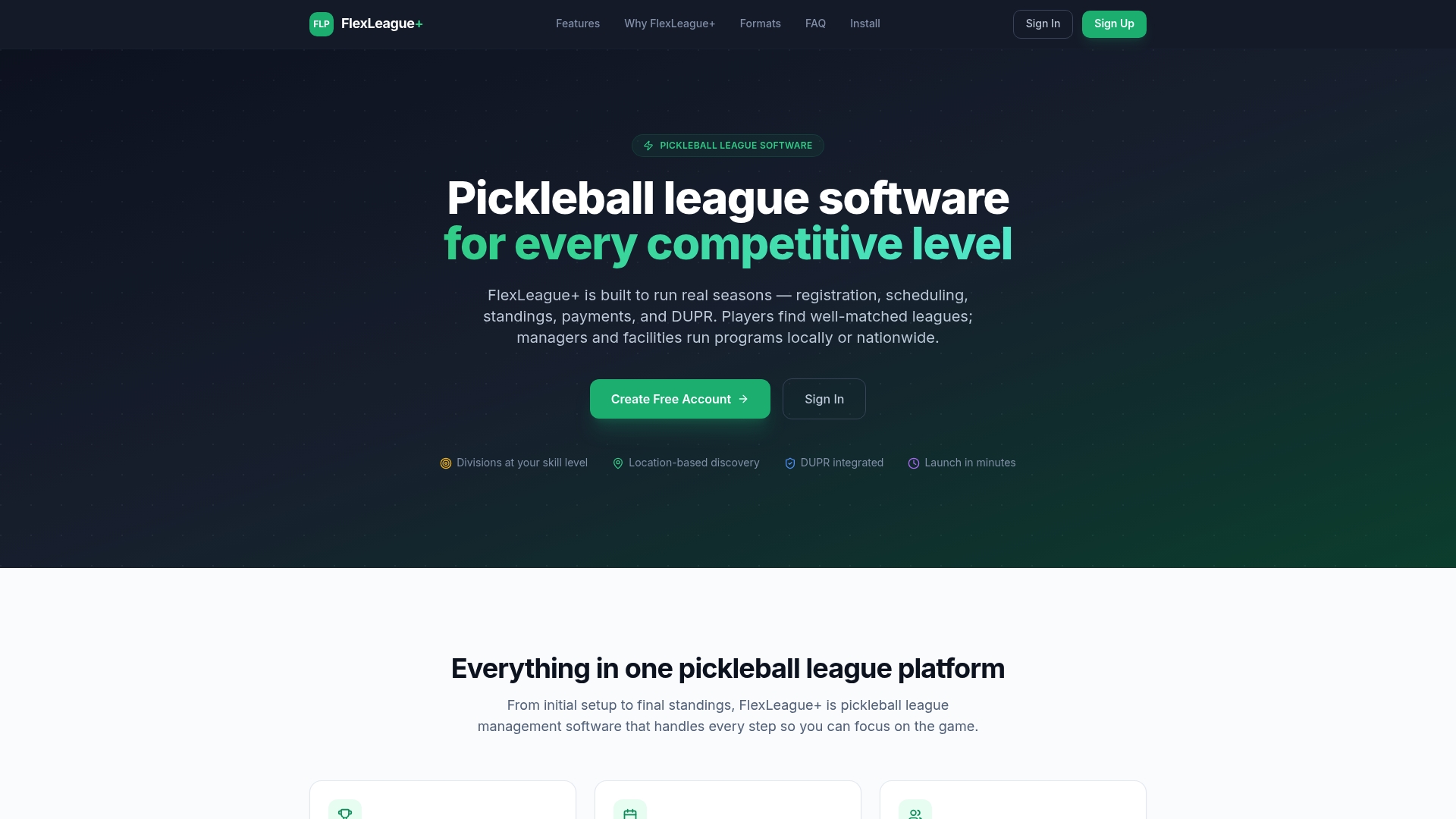
The platform handles score reporting straight into standings, supports singles, doubles, mixed, and FLP team formats, and integrates directly with DUPR for verified competitive results. Registration runs through Stripe, so players pay and get a receipt without you touching a spreadsheet. There’s no monthly subscription. Organizers pay a $25 one-off platform fee per division, and you keep control of the revenue your league actually collects.
If you’re currently juggling a static site plus a separate spreadsheet for standings, that’s usually the tipping point worth acting on. Check out the pickleball league software features or head to FlexLeague+ to see how quickly a division can go live.
Sources
- How to create a custom page for a league website
- NFL accessibility statement
- Federal Register: Title II accessibility rulemaking / WCAG adoption
FAQ
What Pages Does a New League Website Need First?
Start with home, schedule, standings, and registration since those cover the four most common visitor questions: what’s next, when do we play, where do we rank, and how do I sign up. Rules, teams, contact, and news can launch shortly after in the same week.
How Do I Keep Standings Updated Without Manual Work?
Connect your standings page to a single data source that updates automatically when scores get entered, rather than retyping results into a separate page. FlexLeague+'s embed workflow shows this can take under 10 minutes once your league data is set up.
Does My League Website Need to Meet WCAG Standards?
Public entities are increasingly held to WCAG-level conformance under federal rulemaking, and even community leagues benefit from the same basic checks: color contrast, keyboard navigation, and readable mobile schedules. These tests reduce barriers for players and parents regardless of legal obligation.
How Much Does FlexLeague+ Cost to Run a League?
FlexLeague+ charges a $25 one-off platform fee per division, with no recurring subscription for organizers or players. Payment processing runs through Stripe, and organizers keep control of the registration revenue collected.
Should Rules and Waivers Be PDFs or Regular Web Pages?
Keep rules and cancellation policies as crawlable page text first, with a downloadable waiver PDF offered as a supplement, not the only source. A PDF alone is harder to search, resize, or read on a phone, and it’s invisible to search engines indexing your site.