Automate Pickleball League Waitlists With a 12–24 Hour Offer Window
Automate Pickleball League Waitlists With a 12–24 Hour Offer Window

Automated waitlist workflows that auto-promote the next player, notify them instantly, and enforce a short acceptance window fill more roster spots than any manual system a volunteer can run by hand. Skip the group text and the honor-system spreadsheet. The right setup pairs auto-promotion logic with a payment processor like Stripe and a rating system like DUPR so promoted players are verified, charged correctly, and playing within days, not weeks.
TL;DR:
- Automated waitlists promote players instantly when a spot opens, with notifications sent within seconds to maximize roster filling.
- Setting a clear acceptance window of 12 to 24 hours prevents spots from being held open too long or missed by players.
- Real-time capacity updates and payment processing through Stripe ensure transparency and accuracy in billing without manual intervention.
- Eligibility verification with DUPR integration confirms promoted players’ ratings fit the division, reducing disputes and last-minute complications.
- Proper pre-season setup, including testing notifications, setting rules, and training staff, avoids mid-season errors and maintains fairness.
Table of Contents
- What Does Automated League Waitlist Management Actually Do?
- Must-Have Features for League Waitlist Management
- How Do You Set Up a League Waitlist Before Season Start?
- Setting Fair, Transparent Waitlist Policies
- Handling Waitlist Curveballs Mid-Season
- Why Automating the Waitlist Changes How Leagues Run
- See Waitlist Automation Built for Competitive Pickleball Leagues
- Sources
- FAQ
What Does Automated League Waitlist Management Actually Do?
A well-built waitlist runs on three moving parts: order, notification, and payment. Get those three right and the rest of the season runs itself.
Players join a queue in the order they registered, and the software timestamps each entry the moment it’s submitted. That timestamp becomes the tie-breaker for everything downstream. When a roster spot opens, whether from a cancellation or a no-show removal, the platform auto-promotes the next eligible player and fires off an email or text within seconds. Vendor documentation on automated waitlists shows this near-instant handoff can push popular time slots close to full utilization, because there’s no lag between an opening and someone claiming it.
The acceptance window matters just as much as the notification speed. Give a promoted player too long to respond and you’re holding a phantom spot while other candidates wait behind them. Give them too little and you lose good players to a missed text. Most leagues land on a window somewhere between 12 and 24 hours before the offer auto-releases back to the queue.
Payment state ties it together:
- Deferred charge: the player’s card is authorized but not billed until they accept.
- Invoice-on-accept: an invoice generates the moment they confirm, due within a set window.
- Payment held: funds are captured immediately and refunded automatically if the offer expires.
Capacity limits should update in real time so anyone browsing a division sees exactly how many spots remain and whether the waitlist is even open. That single detail, shown before checkout instead of after, prevents a lot of confused emails to league staff.
Must-Have Features for League Waitlist Management
Not every platform handles waitlists the same way, and the gaps show up mid-season when you least want to troubleshoot them. Here’s what to check before you commit to a tool for a competitive season:
- Auto-promotion with instant notification. The system should move the next player up and alert them without a manager touching a keyboard.
- Waitlist filters by division and format. A player waiting for mixed doubles shouldn’t get bumped into men’s singles, and team-format leagues need to distinguish between an individual free agent and a full team on the list.
- Offer window controls with automatic release. You set the deadline once; the software enforces it every time.
- Stripe-integrated payment handling. Promoted players get charged the correct registration fee automatically, with no manual invoice chasing.
- Admin overrides with audit logs. Sometimes you need to manually promote someone (an injury replacement, a sponsor request), and the system should log who did it and when.
- Mobile-friendly offer and checkout flow. Most players are accepting these offers from their phone between errands, not sitting at a laptop.
- Demand reporting. Reporting on waitlist length and conversion tells you which divisions are oversubscribed enough to justify a second session.
- DUPR integration. For competitive leagues, this confirms a promoted player’s rating fits the division before they take the court, not after.
Pro Tip: Run your waitlist filters by skill tag first, not just division. A 3.5 women’s doubles waitlist filled with 4.0 players creates a fairness problem the moment your top spot opens.
How Do You Set Up a League Waitlist Before Season Start?
Building the workflow is straightforward if you do it in order rather than patching pieces together as registration opens.
- Turn on capacity limits for every division and confirm real-time availability shows correctly on the public registration page.
- Decide whether you’ll defer charges or bill on acceptance, then connect Stripe to handle both registration fees and promoted-player billing.
- Set queue rules and offer windows separately for each division, since a competitive men’s doubles bracket may need a shorter window than a casual mixed league.
- Write and test your notification templates: the offer itself, the acceptance confirmation, the decline notice, and a reminder sent partway through the window.
- Run a dry run. Simulate two or three cancellations and watch how quickly the system promotes and notifies the next player. A pre-season cancellation drill run 48 to 72 hours before the season starts will catch delivery failures or misconfigured windows before real players are affected.
- Train whoever’s covering the front desk or inbox on reading waitlist statuses. They need to recognize an “offer extended” versus an “offer accepted” at a glance, and know how to manually promote a player if the automation stalls.
A few things worth double-checking before you open registration:
- Confirm SMS and email both fire, not just one channel.
- Test the decline path, not only the accept path.
- Verify refunds process automatically if you’re using payment-held mode.
Setting Fair, Transparent Waitlist Policies
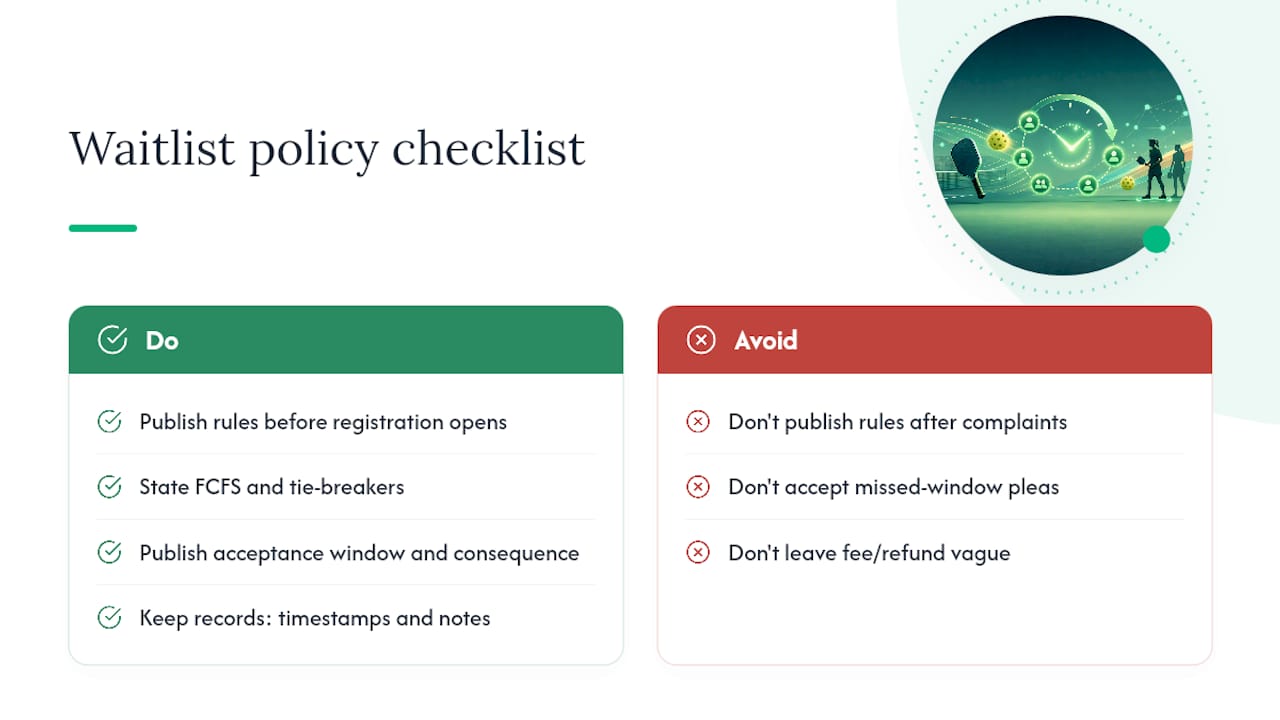
Players tolerate a waitlist. What they won’t tolerate is a waitlist that feels arbitrary. Publish your rules before registration opens, not after someone complains.
State plainly that promotion follows first-come, first-served order based on registration timestamp, with any tie-breaker (usually DUPR rating or prior season standing) spelled out in advance. Preserved ordering and timestamping is what keeps disputes about “who’s actually next” from landing in your inbox.
Publish the acceptance window itself, not just its existence. “You have 18 hours to respond before your offer moves to the next player” is a sentence every registrant should read before they join a waitlist. Pair it with a clear consequence: missed windows release the spot automatically, no exceptions and no manual pleading.
Your fee and refund policy needs the same clarity. Decide upfront whether promoted players are charged the full fee, a prorated amount, or the standard rate regardless of season stage, and note any exception (injury substitution, sponsor slot) in writing.
Keep a record of every offer: timestamp sent, timestamp responded, and any notes staff added. That history is what saves you when a player disputes what happened three weeks later. And communicate proactively. A short “your offer expires in two hours” reminder cuts down on abandoned offers more than any policy document ever will.
Handling Waitlist Curveballs Mid-Season
Plans hold until week three, when someone cancels, a promoted player ghosts, or a late signup wants in past your cutoff. Here’s how to handle the common ones without improvising each time.
- Late registration: set a hard cutoff (say, 48 hours before the season starts) and apply a prorated fee for anyone who registers directly instead of through the waitlist after that point.
- No-shows after promotion: if a promoted player doesn’t confirm or pay within the window, release the spot automatically and move to the next timestamp. Don’t hold it open as a courtesy.
- Mid-season call-ups: use the original waitlist timestamps, not a new list, so late-season openings still reward whoever’s been waiting longest.
- Refunds on declined offers: reverse any held charge immediately when a player declines or the offer expires. Manual refund delays are the fastest way to generate complaints.
- Manual overrides: reserve these for genuine exceptions, and log every one with a note explaining why the automated order was skipped. An unlogged override looks like favoritism even when it isn’t.
Why Automating the Waitlist Changes How Leagues Run
The biggest shift I’ve seen in league administration isn’t the software itself. It’s what organizers stop doing once the waitlist runs on its own. No more group texts asking “is anyone dropping out?” No more spreadsheet tabs tracking who offered a spot to whom last Tuesday. Centralized systems that combine payments, messaging, and roster tools consistently cut the volunteer hours that used to go into exactly this kind of manual follow-up.
DUPR approval and Stripe integration solve two separate headaches at once. DUPR settles the “is this player actually eligible for this division” question before it becomes a mid-match argument. Stripe settles the money question, so nobody’s chasing a Venmo payment from someone who got promoted off a waitlist on a Tuesday night.
The organizers who complain waitlists are “too much work” are usually the ones still running them manually. Automate the queue and the complaint disappears with it.
— Robert
See Waitlist Automation Built for Competitive Pickleball Leagues
This platform is a direct alternative to running your waitlist through spreadsheets and group texts. It is built around real competitive seasons, with no monthly subscription and organizer-controlled revenue collected through Stripe on every promoted player.
The platform handles the workflow described throughout this piece: automatic promotion when a spot opens, instant notifications, DUPR integration so promoted players land in the right division, and Stripe payment processing that charges registration fees without a manual invoice. If you’re comparing team versus individual formats for your next season, our breakdown of registration structures covers how each affects waitlist behavior.
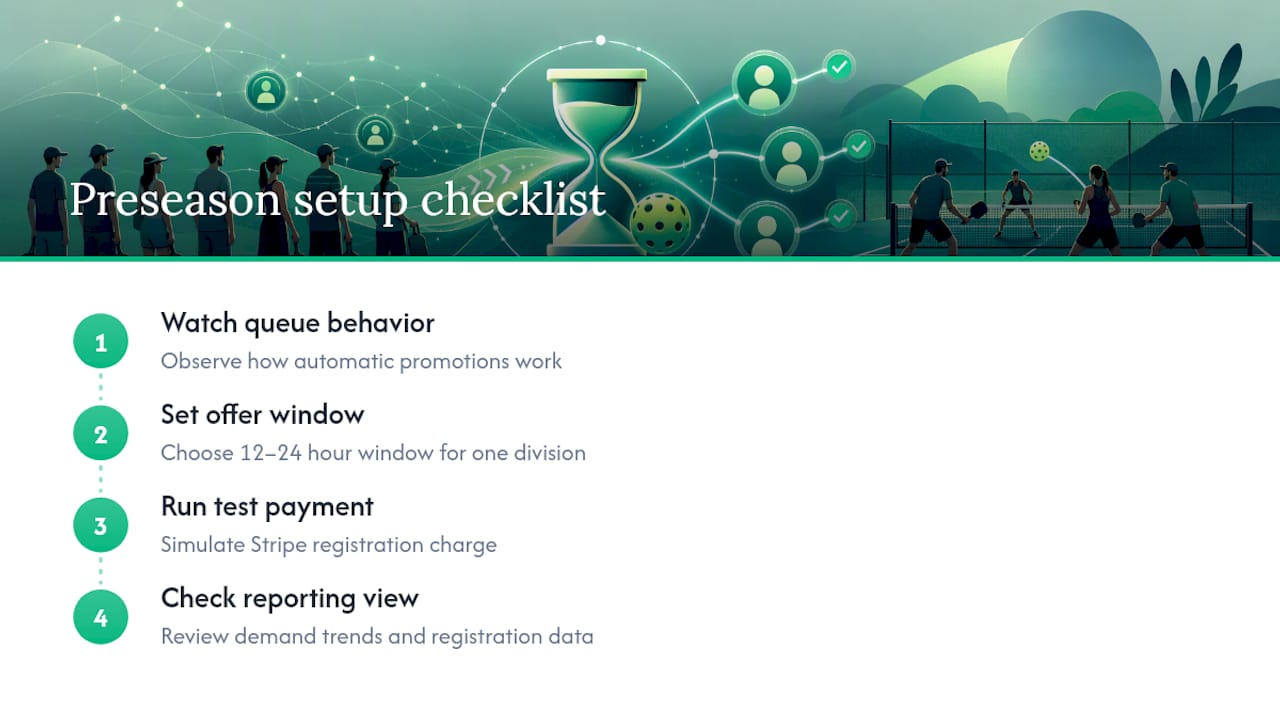
Before your next season opens, walk through a quick checklist on the Pickleball League Software page: watch how the queue behaves, set an offer window for one division, run a test payment, and check the reporting view for demand trends. Pricing details, including the flat platform fee, are available now if you’re ready to set up your league before registration opens.
Sources
For deeper technical detail beyond this guide, TeamSnap’s capacity limits and waitlist help docs break down specific status definitions. Flex League Plus’s automated match reminder walkthrough shows the same notification logic applied to scheduling. Partner platform RALLIO’s match tracking tools offer a useful comparison point for converting open slots into filled matches.
- Automatic Waitlists for Court Bookings & Events | PlayRez
- Managing Pickleball Growth: Tools for League Organizers - Waresport
- How to Run a Sports Club Waitlist That Actually Works
FAQ
What Is the Best Way to Manage a League Waitlist?
The most effective approach uses automatic promotion, instant notifications, and a short acceptance window (typically 12 to 24 hours) so open spots fill without manual follow-up. Preserved timestamp ordering keeps the process fair and reduces disputes over who’s next.
Should I Charge Waitlisted Players Immediately or Wait?
Most leagues either defer the charge until the player accepts their promotion offer or hold payment and capture it only once they confirm. Flex League Plus supports Stripe-based payment handling so fees are collected automatically at the right moment without manual invoicing.
How Long Should a Waitlist Offer Window Be?
A window of 12 to 24 hours balances giving players enough time to respond against holding a spot open too long. Shorter, clearly enforced deadlines keep fill rates high because unclaimed offers release quickly back to the queue.
Does DUPR Integration Matter for Waitlist Management?
Yes, for competitive leagues it confirms a promoted player’s rating fits the division before they’re added to the roster. Flex League Plus is DUPR-approved, so eligibility checks happen automatically as part of the promotion process.
How Much Does Flex League Plus Cost for League Organizers?
Flex League Plus charges a $25 one-time platform fee per division with no monthly subscription required. Pricing for the core software itself is available directly on the product page.