Quickly Embed League Standings for Organizers in Under 10 Minutes
Quickly Embed League Standings for Organizers in Under 10 Minutes

The fastest way to embed league standings is to copy the provider’s iframe or embed snippet and paste it into your page. That covers most club sites in under ten minutes. Reach for the API only when you need custom styling, real-time mid-match feeds, or a fully branded portal. Some league software builds live standings directly into its scheduling and score-reporting workflow, so organizers running paid leagues never touch a line of code.
TL;DR:
- Embedding league standings with an iframe or embed snippet is the fastest method, often completing in under ten minutes, and requires minimal technical skill.
- Custom API integration offers full control but is only necessary for real-time updates or fully branded portals, which are seldom needed for typical club leagues.
- Most delays in showing updated scores stem from caching at the CDN, provider, or site level, not the embed method itself, with cache-busting techniques often resolving the issue.
- Using provider-served iframes prevents exposing API keys publicly, making them safer for live standings compared to client-side API calls with embedded credentials.
- Built-in league software like FlexLeague+ automates standings updates within the platform itself, avoiding the need for external embeds or API work for most league organizers.
Table of Contents
- What Are the Quick Ways to Embed League Standings?
- How Do You Add an Embed Snippet to Your Site?
- How Do You Customize and Resize an Embedded Standings Table?
- How Often Do Embedded Standings Actually Update?
- Why Won’t My League Standings Embed Load?
- Which Embed Method Should You Actually Use?
- Get Live Standings Without Building a Custom Embed
- Where to Verify Embed Implementation Details
- Sources
- FAQ
What Are the Quick Ways to Embed League Standings?
Three approaches cover almost every situation, and picking the right one comes down to how much control you actually need versus how fast you want it live.
A widget or embed snippet is the quickest route. Most league-management platforms generate a ready-made iframe or div-plus-script snippet in the admin panel, and you copy it straight into your site’s HTML. Providers typically build these to be responsive out of the box, so the table resizes to fit whatever column or page it lands in.
A platform’s built-in embed block works well if you’re not comfortable touching raw code. WordPress has a Custom HTML block, Wix has an Embed feature under Add, and Squarespace has a Code Block you drop into any page section. Non-developers can get a live standings table on a page without ever opening a terminal.
An API with a custom render is the heaviest lift but gives you full control over layout, filtering, and live behavior. This matters when you’re building a branded league portal, need to filter by division on the fly, or want sub-minute updates during active matches.
Match the method to the placement:
- Club homepage — a full-width widget with all standard columns
- Sidebar — a compact widget showing only Played, Goal Difference, and Points
- Branded member portal — API-driven render with custom styling and filters
How Do You Add an Embed Snippet to Your Site?
Here’s the exact process, whether you’re on WordPress, Wix, Squarespace, or a plain HTML page.
- Find the embed code. Log into your league admin dashboard or widget configurator and locate the “Embed” or “Widget” section. This is usually where you also pick your league and toggle which columns display.
- Copy the full snippet. It’s either an
<iframe>tag or a<div>paired with a<script>tag. Copy the entire block, not just part of it. - Paste it into your editor. In WordPress, add a Custom HTML block and paste the code there. In Wix, choose Embed Code under the Embed menu, select HTML iframe, and paste. In Squarespace, insert a Code Block set to HTML. On a plain page, paste it directly into your
<body>tag where you want the table to appear. - Adjust sizing. Most snippets ship with a fixed width and height. Wrap the embed in a container with
max-width: 100%so it doesn’t overflow on smaller screens, or edit the iframe’s width attribute to a percentage instead of a fixed pixel value. - Save and publish. Some providers require an explicit save-and-publish step before the embed goes live to visitors, so don’t judge it broken from the preview pane alone.
- Verify it. Open your browser’s developer console and check for errors, confirm the standings data actually loads (not just an empty frame), and load the page on a phone to check spacing.
Pro Tip: Test the embed in an incognito window before calling it done. Ad blockers and browser extensions sometimes strip iframes or scripts, and you want to know that before a player does.
How Do You Customize and Resize an Embedded Standings Table?
A standings table that looks great on a desktop homepage can turn into an unreadable mess crammed into a 300-pixel sidebar. Column selection is the first fix.
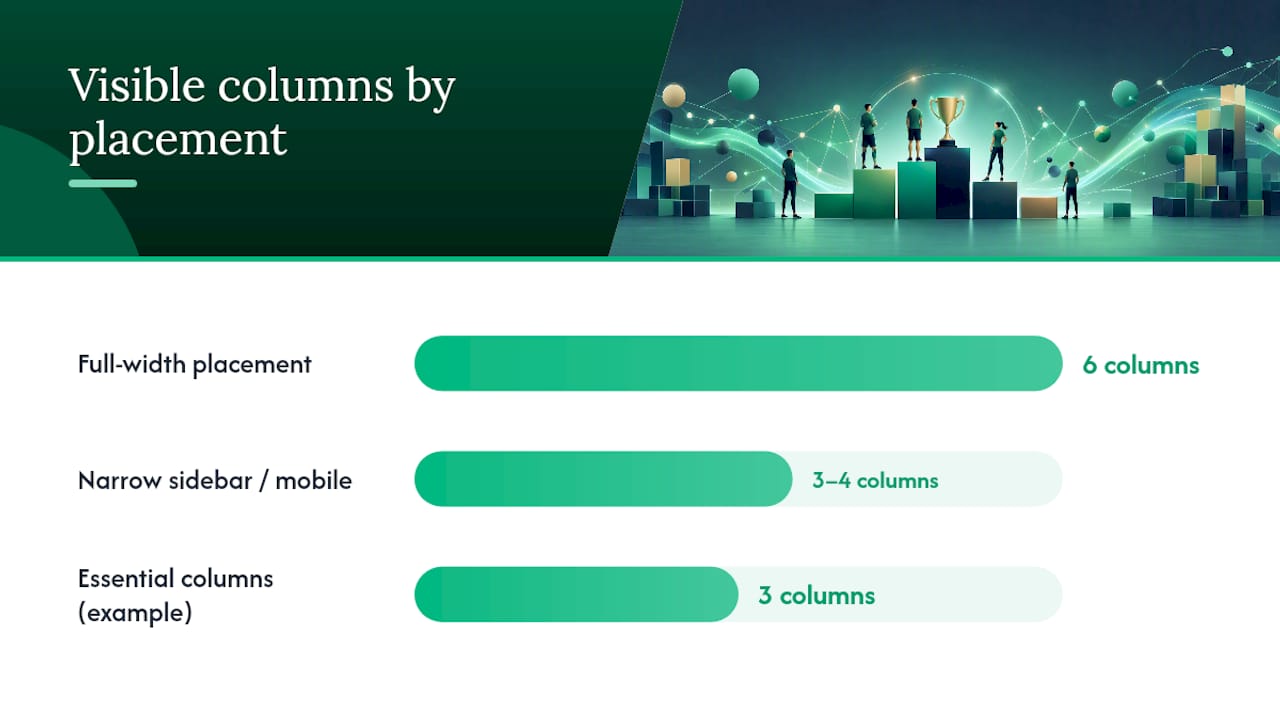
- Full-width placements can show every column: rank, wins, losses, games played, point differential, and points.
- Narrow sidebars should show only three or four: Played, Goal Difference (or Point Differential), and Points.
- Many widget configurators let you toggle columns and pick a color scheme directly in the setup screen, so you don’t need to touch CSS at all.
- Zone highlights (playoff line, relegation zone) usually come from the same configurator or from a CSS override if your provider supports custom classes.
On sizing, three strategies work: a fluid iframe set to percentage width, a CSS wrapper capping max-width, or the provider’s own compact view built for tight spaces. According to WidgetForge’s own findings, the most readable approach for a sidebar or mobile column is reducing visible columns and switching to compact mode rather than squeezing a full table into a small space.
Don’t skip accessibility. Keep table headers intact in the markup and make sure any custom colors still meet basic contrast standards. A dashboard design guide covering compact metric displays is a useful reference if you’re building anything beyond the provider’s default styling.
How Often Do Embedded Standings Actually Update?
“Live” means different things depending on the provider, and knowing which kind you’re getting saves a lot of confused emails from players asking why last night’s score isn’t showing yet.
Some embeds run on real-time sockets that push updates the moment a score gets reported. Most, though, run on a periodic refresh. Many public widgets refresh on a set cadence, often nightly or right after a match day closes out, rather than pushing changes second by second.
Three things typically stand between a score getting reported and it showing up in your embed:
- CDN caching — content delivery networks cache pages for speed, which can delay how fast a new table version reaches visitors.
- Provider-side caching — the platform itself may cache rendered tables for a set interval to reduce server load.
- Your own page cache — if your site uses a caching plugin, it can serve a stale version of the page even after the embed itself updates.
If standings feel stale, check your provider’s refresh settings first, then clear any page cache on your own site, and as a last resort try a cache-busting query parameter on the embed URL to force a fresh pull.
Why Won’t My League Standings Embed Load?
Most embed failures trace back to a handful of repeat offenders, and they’re all diagnosable in a browser console in under five minutes.
- Blank embed, no errors visible on the page — open developer tools and check the console. A CORS error means the script is trying to fetch data from a domain your browser is blocking; a mixed content warning means you’re loading an insecure
http://script on a securehttps://page. - API key showing up in your page source — this is a real risk if you’re building a custom render that calls the API directly from the browser. Provider-served iframes avoid this because the platform serves pre-rendered data from its own servers rather than exposing your credentials to anyone who views the page source.
- Table looks broken or overflows on mobile — this is usually a CSS conflict between your site’s theme and the widget’s default styles, fixable with a wrapper
divand explicit height rules, or by sandboxing the iframe. - Works on desktop, breaks on phone — test in an actual mobile browser, not just a resized desktop window, and throttle your network in dev tools to catch slow-load layout shifts.
Pro Tip: Run through this checklist in an incognito window, on two different browsers, and on one real phone before calling an embed production-ready. Extensions and cached logins hide problems that a real visitor will hit immediately.
Which Embed Method Should You Actually Use?
Most organizers overthink this decision. If you’re running a club or facility league, a provider embed widget is the right default, full stop. It’s faster to set up, it doesn’t expose any credentials, and it updates on a schedule that matches how most leagues actually play, matchday by matchday rather than minute by minute.
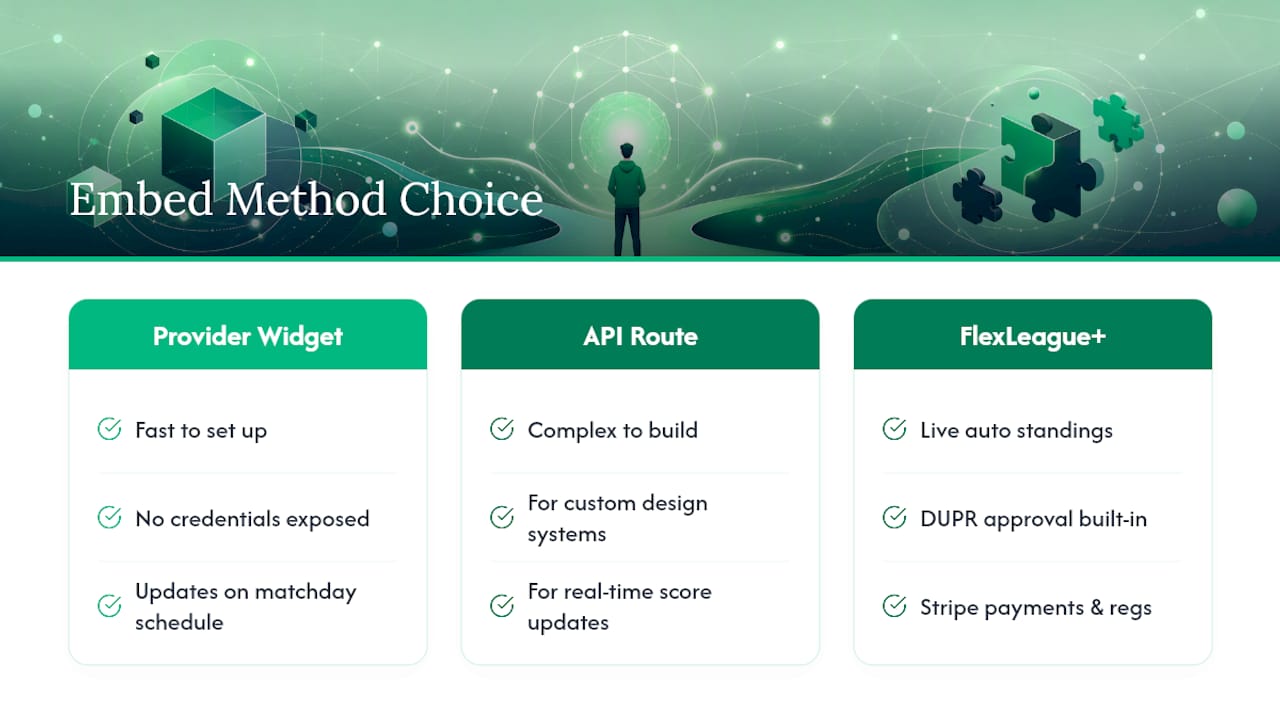
The API route earns its complexity in narrower cases: a branded member portal where standings need to sit inside a custom design system, or a tournament format where players expect standings to shift within seconds of a score getting logged. Outside those two scenarios, custom API work is often solving a problem nobody on your roster actually has.
FlexLeague+ was built around that reality. Its league software generates live standings automatically as scores get reported, without a separate embed decision to make, and its DUPR approval and Stripe-based payment processing mean the standings tie directly back to real matches and real registrations, not a spreadsheet someone forgot to update.
— Robert
Get Live Standings Without Building a Custom Embed
If you’re managing a pickleball league and weighing whether to hand this off to a developer, there’s a simpler path. Certain league software builds live standings directly into the league itself, eliminating the need for a separate embed, cache management, or API key protection.
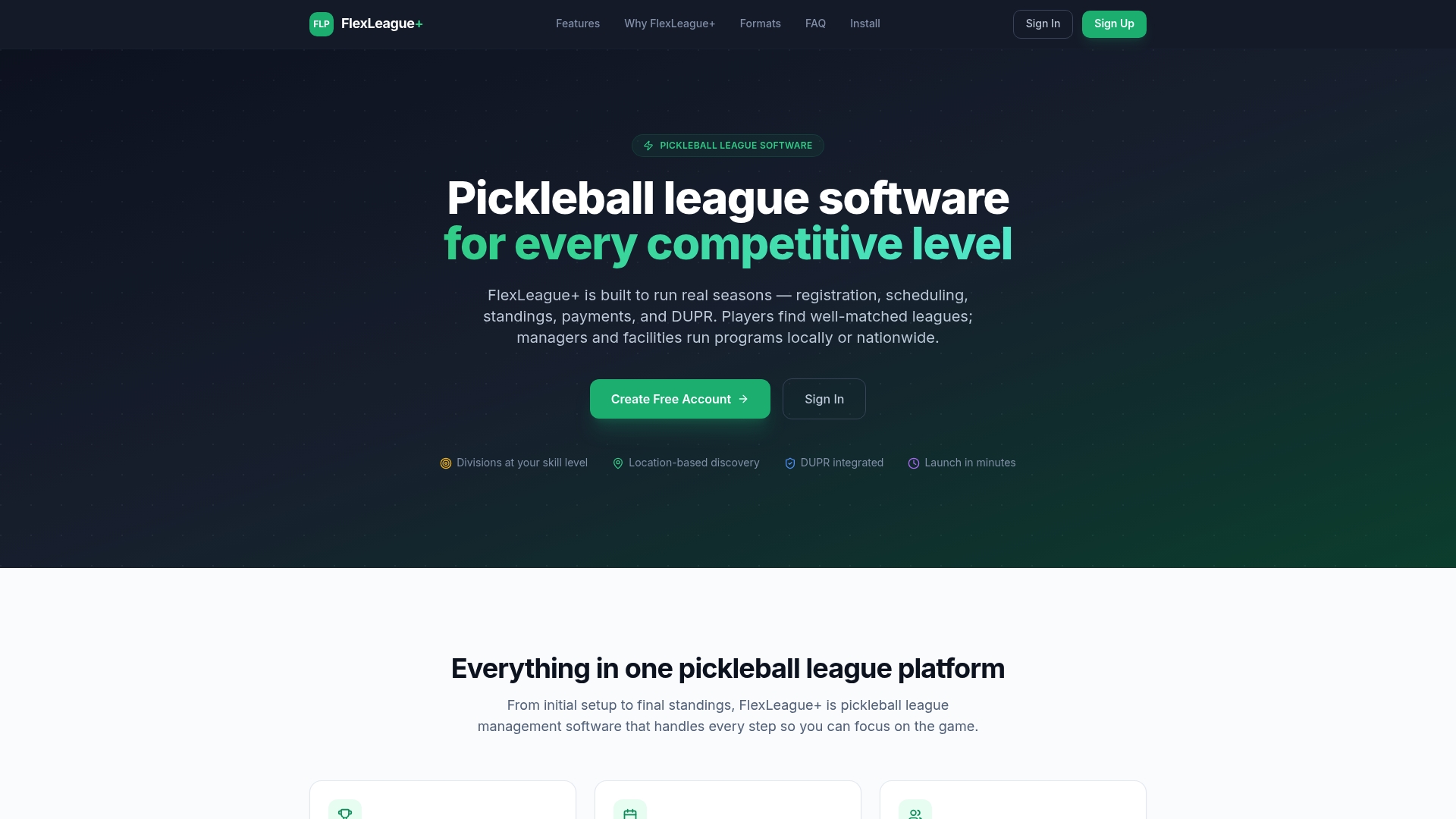
FlexLeague+ runs singles, men’s doubles, women’s doubles, mixed doubles, and full FLP team formats, all with automated scheduling, score reporting, and standings that update the moment a match gets logged. Registration and payment run through Stripe, and match results sync with DUPR, so ratings stay current without manual entry. If your league already lives inside FlexLeague+, standings display without any embedding step at all. A custom API integration still makes sense if you’re building a fully branded multi-league portal outside the platform, but for most club and facility leagues, the built-in path is faster and one less thing to maintain. Visit FlexLeague+ to see how a league gets set up, or check the pricing page for how registration fees and payment processing work.
Where to Verify Embed Implementation Details
For configuration specifics, check the provider’s own docs: LeagueApps’ widget guide, LeagueRepublic’s embed help page, and SportBusy’s standings widget for a look at simple URL-based embed patterns.
Sources
FAQ
What’s the fastest way to embed league standings?
Copy the provider’s iframe or div-plus-script snippet from your league admin panel and paste it into an HTML block on WordPress, Wix, Squarespace, or a raw HTML page. Most embeds go live in under ten minutes.
Do I need an API to show live league standings?
Only if you need real-time, sub-minute updates or a fully custom branded design. For most club and facility leagues, a provider’s scheduled refresh keeps standings current enough without any API work.
Why is my embedded standings table not updating?
Check for caching first, at the CDN level, the provider level, or your own site’s page cache, since all three can delay a new table from reaching visitors. A cache-busting query parameter on the embed URL usually forces a fresh pull.
Is it safe to expose my API key in an embed?
No. Client-side API calls that expose your key are a real risk; provider-served iframes avoid this because the platform renders the data on its own servers before it ever reaches the visitor’s browser.
Does FlexLeague+ support live league standings without a separate embed?
Yes. FlexLeague+ updates standings automatically as scores get reported inside the platform, so leagues running on it don’t need to configure a separate embed snippet at all.