Automate Match Reminders in an Afternoon for League Organizers
Automate Match Reminders in an Afternoon for League Organizers
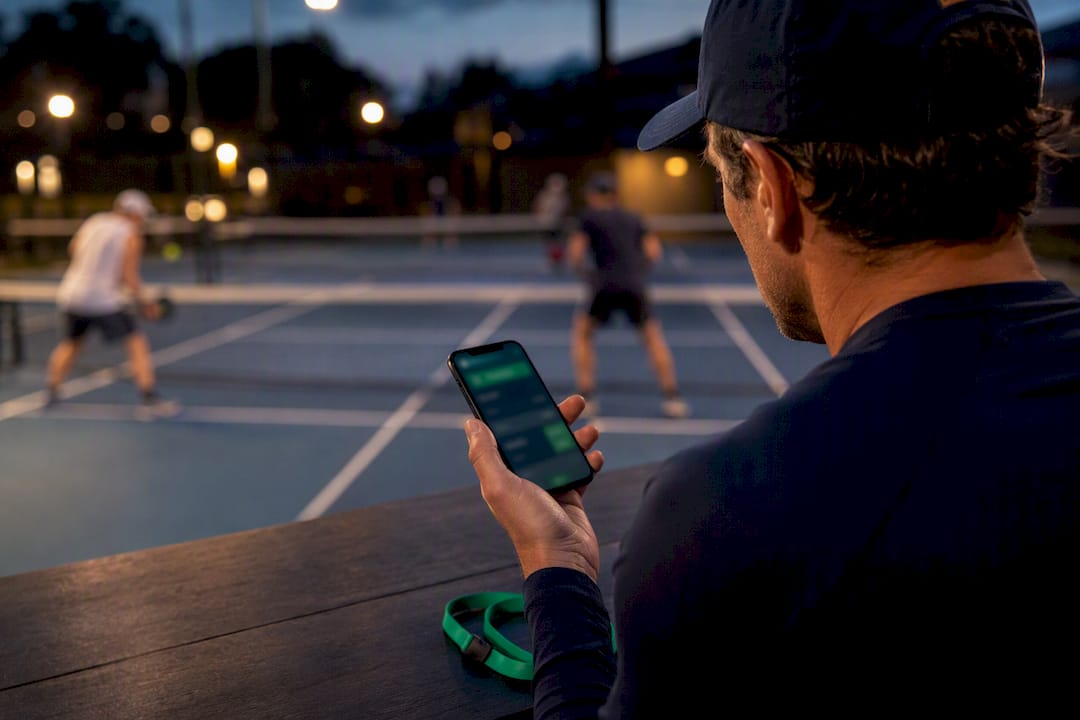
Yes, automated match reminders work, but only when they read your live schedule, reach players through the channel they actually check, and fire at the right intervals. Start this week by connecting your schedule source, turning on email plus SMS or in-app alerts, and setting reminders at typical intervals before kickoff. Tools like FlexLeague+ already handle the scheduling and delivery side, so the real work is deciding your defaults and testing them on one division before rolling out league-wide.
TL;DR:
- Connecting your schedule source directly to your reminder system prevents incorrect notifications caused by outdated or duplicated calendars.
- Using fallback channels like email or in-app alerts alongside SMS significantly reduces no-shows, especially when combined with well-timed reminders at 24 hours and 1 hour before matches.
- Notifications should include essential details such as date, opponent, location, a direct match link, and a contact point to ensure players respond promptly and accurately.
- Regularly monitoring delivery, confirmation rates, and adjusting lead times based on performance data improve overall reliability and reduce duplicate messages.
- Automating reminders based on a live schedule prevents errors from rescheduling and builds player trust compared to static or manual setups.
Table of Contents
- How Do You Set Up Automated Match Reminders?
- Which Channels and Lead Times Actually Cut No-Shows?
- What Should a Match Reminder Message Actually Say?
- How Do You Keep Reminders Reliable and Duplicate-Free?
- What Metrics Actually Tell You Reminders Are Working?
- What Do Organizers Get Wrong When Setting This Up? (FlexLeague+ Notes)
- What Actually Matters Once the Reminders Are Live?
- Ready to Automate Reminders for Your League?
- Sources
How Do You Set Up Automated Match Reminders?
Getting reminders live is less about technology and more about getting your schedule data clean before you automate anything on top of it. A reminder system is only as accurate as the calendar it reads from, so this is where most setups either succeed or quietly fall apart.
- Pick your authoritative schedule source. This is your league platform’s built-in calendar, a CSV you import weekly, or a webhook feed from a scheduling API. Whatever it is, every reminder should trace back to one single source, never a spreadsheet copy that someone forgets to update.
- Authorize the integrations. Connect calendar OAuth, generate API keys, or point a webhook at your reminder tool. Send one test match through the pipeline before touching real players, since a bad timezone mapping here will send a reminder for the wrong hour to your entire roster.
- Set your defaults. Decide who receives reminders (captains only, full rosters, or referees too), lock in your league’s timezone, and filter out canceled or bye-week matches so nobody gets pinged for a match that no longer exists.
- Turn on confirmation capture if you need it. A simple RSVP reply or click-to-confirm link tells you who’s actually showing up, not just who received the message.
Platforms built for pickleball leagues typically bundle scheduling and reminders together rather than making you stitch two systems into one. FlexLeague+ covers this end to end through its automated league scheduling feature, which is worth reviewing before you build a parallel reminder tool that has to sync against it constantly.
Which Channels and Lead Times Actually Cut No-Shows?
Channel choice matters more than most organizers assume. SMS gets opened fast, often within minutes, which makes it the strongest option for anything time-sensitive. Email is slower but leaves a paper trail players can search later for court numbers or opponent details. In-app notifications work well for players who already check the app daily for standings or scores, but they’re useless for the player who installed it once and forgot it exists. Voice calls are the heaviest option, reserved for matches where a miss is costly. AI-driven voice reminders are already used in esports scheduling specifically to cut missed matches and improve punctuality, according to Salesix, and the same logic applies to any high-stakes bracket match or playoff round.
The most reliable pattern is preferred-channel-plus-fallback: try the player’s chosen channel first, and if there’s no delivery confirmation within a set window, fall back to a second one automatically. Match Point’s notification system follows this model, letting organizers toggle email and in-app delivery per player while defaulting reminders to fire at 24 hours and 1 hour before start.
Starter lead times that work for most leagues:
- 24 hours before, so players can arrange rides, coverage, or partner swaps.
- 1 hour before, as the hard confirmation window.
- An extra 15 to 30 minute reminder for finals, tiebreakers, or facility-restricted courts where a late arrival forfeits the slot.
Pro Tip: If you run more than 200 active players, batch your SMS sends in waves rather than firing them all at once. Carriers throttle bulk traffic, and a single blast can trigger delivery delays that look like your system failed when it’s actually a rate limit. For a broader look at how automated email and SMS cut administrative hours, DojoTrack’s breakdown is worth a read.
What Should a Match Reminder Message Actually Say?
A reminder that doesn’t answer “when, where, and against whom” in the first two lines gets skimmed and ignored. Every message needs five variables at minimum: match date and time, opponent name, court or facility, a link to the match page, and a contact for questions.
Essential variables to include:
- Date and time (localized to the player’s timezone, not the server’s)
- Opponent or team name
- Court or facility location
- One-tap link to the match page or check-in
- A phone number or email for day-of issues
Templates by channel:
- SMS: “Match reminder: Saturday 10:00 AM vs. Torres/Lee, Court 4. Reply Y to confirm.”
- Email: Full match card with date, opponent, court map link, scoring instructions, and a calendar attachment.
- In-app: A card with two buttons, “Confirm” and “Need to reschedule,” so the response gets logged automatically instead of living in a text thread.
Keep the tone short and specific. Cut adjectives, skip the pleasantries, and always end with a single action the player can take in one tap. For ready-made copy, FlexLeague+ has published league email templates organizers can adapt directly.
How Do You Keep Reminders Reliable and Duplicate-Free?
The engineering underneath your reminders decides whether players trust the system or start ignoring it. Two trigger patterns cover almost every league: event-driven triggers fire the moment a match is scheduled or edited, while scheduled scans run every few minutes checking for anything due in the next lead-time window. Most leagues need both.
Reliability comes down to a few non-negotiable practices:
- Persist reminder state to disk or a database so a server restart re-arms only the reminders still pending, not every job that already fired.
- Track delivery receipts and retry failed sends automatically, with a fallback channel triggered after a set number of failed attempts.
- Handle soft bounces and blocked numbers by flagging the contact method as broken rather than retrying it endlessly.
- Apply a suppression window so a last-minute schedule edit doesn’t trigger a second reminder five minutes after the first one went out.
Tournamental’s open-source push-notification service is a solid reference for this: it arms multiple offsets per fixture (kickoff minus 30 minutes and minus 5 minutes, for example) and persists that state so restarts don’t cause duplicate sends. Tools like GameRelay demonstrate the same principle on the delivery side, routing one alert across multiple platforms simultaneously with tracking and automatic retry if a channel fails.
What Metrics Actually Tell You Reminders Are Working?
No-show rate is the number that matters most, but it’s meaningless without three supporting metrics tracked alongside it: confirmation rate (who replied), delivery rate (who actually received the message), and cost per delivered message if you’re paying for SMS or voice at volume.
Run experiments the same way you’d test anything else in the league:
- Test one variable at a time. Change the lead time from 24 hours to 12 hours for one division, keep another division as the control, and compare no-show rates over three to four weeks.
- Test message copy. A reminder that asks for a one-tap confirmation typically gets more responses than one that just states the match time with no action requested.
- Test channel order. Swap which channel fires first for a subset of players and watch whether confirmation rate moves.
Once you have a signal, act on it. If confirmation rates lag on the 24 hour reminder, add a second nudge at 4 hours. If a division has chronic no-shows despite full delivery, the issue is the message, not the timing. Reminders that integrate with downstream automations, auto-substituting a player, triggering a refund, or notifying a waitlisted player, close the loop faster than a human admin checking match pages manually.
What Do Organizers Get Wrong When Setting This Up? (FlexLeague+ Notes)
The most common mistake I see is organizers building reminders around a static schedule export instead of a live one. The moment a match gets rescheduled and the reminder tool doesn’t know, you’ve sent a wrong-time alert to forty players and burned their trust in the system for the rest of the season.
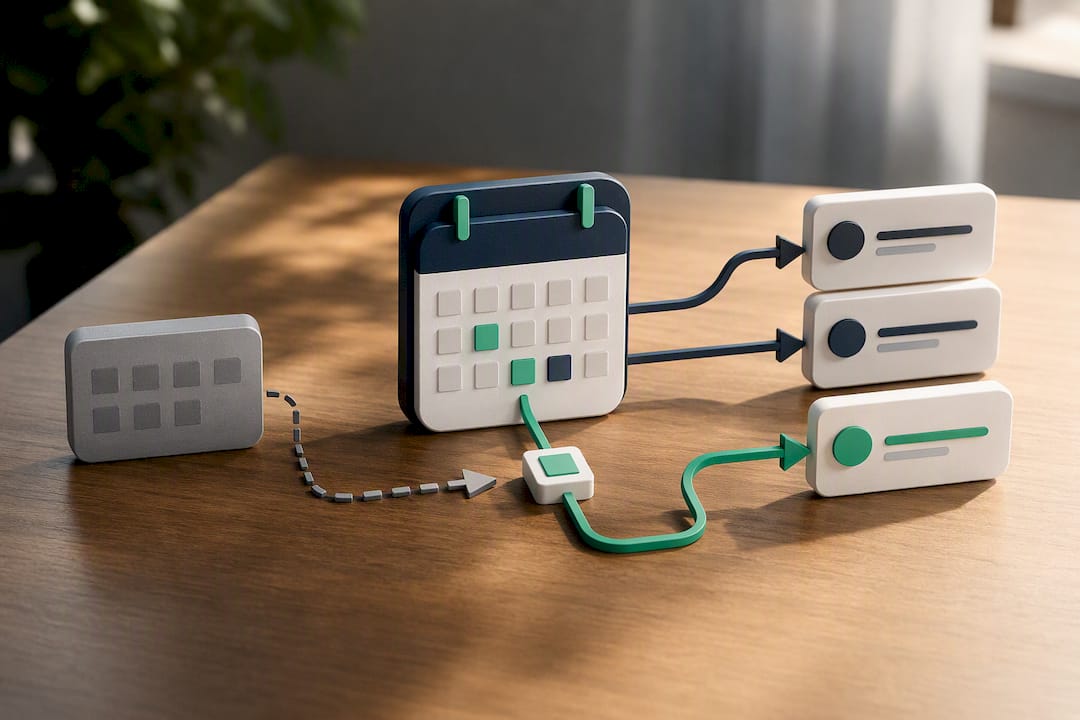
Certain league software systems tie reminders directly to registration and the live match schedule, so a change in one place updates the other automatically, with payment status linking to who’s eligible to play. Integration with rating systems means match results and reminders reference the same verified roster, not a duplicate list maintained by hand.
A quick checklist worth copying into your admin settings:
- Confirm your schedule source is the single live version, not a cached export.
- Set 24 hour and 1 hour reminders as your floor, not your ceiling.
- Turn on delivery tracking so failed sends don’t go unnoticed.
- Give players a channel preference and honor it before falling back.
What Actually Matters Once the Reminders Are Live?
Most advice on this topic treats reminders like a feature you switch on and forget. That’s backwards. The setup steps take an afternoon; the ongoing discipline of watching delivery rates and adjusting lead times is what actually moves the no-show number over a season.
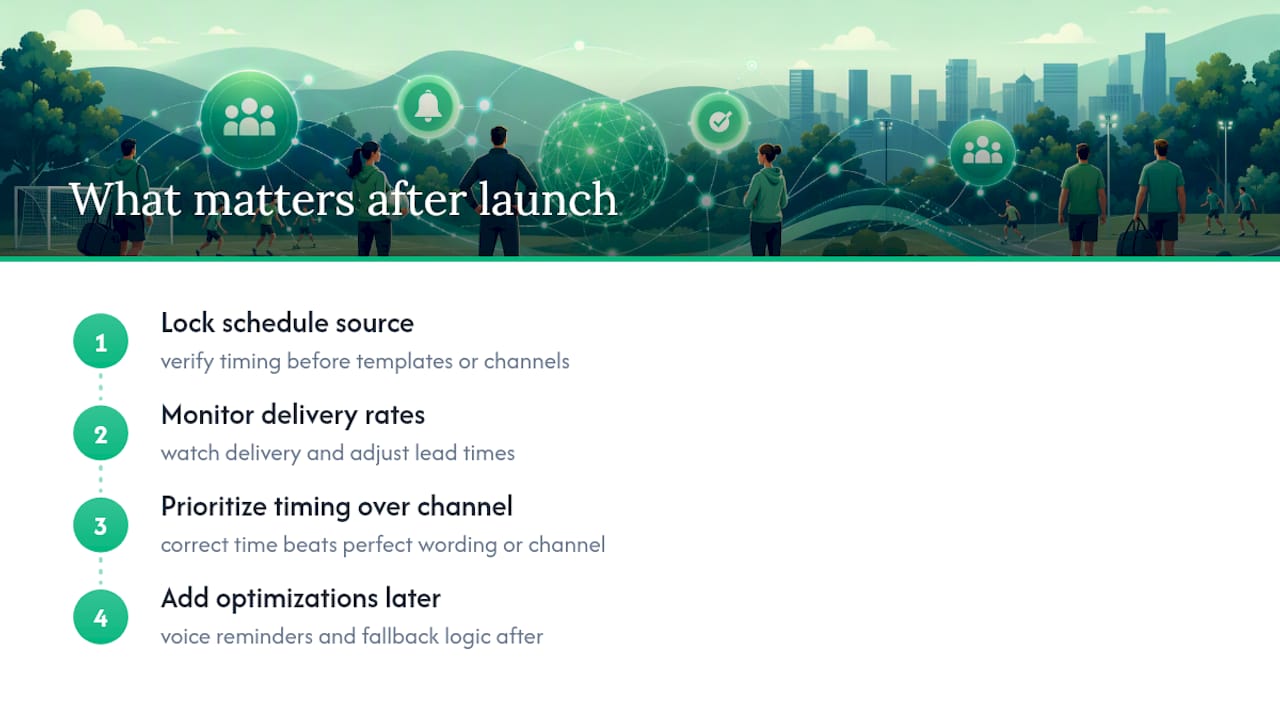
The conventional wisdom overrates channel choice and underrates schedule accuracy. Organizers spend hours debating SMS versus email when the bigger risk is a reminder system that’s disconnected from same-day schedule changes. A perfectly worded text sent for the wrong court time does more damage than a plain one sent for the right time.
If you’re prioritizing one thing first, make it this: get your schedule source locked down and verified before you touch templates or channel mix. Everything downstream, confirmation rates, no-show percentages, player trust, depends on that foundation holding. Voice reminders and fancy fallback logic are worth adding later, but they’re optimizations on top of a system that already tells the truth about when matches happen.
— Robert
Ready to Automate Reminders for Your League?
If you’ve been piecing together a calendar tool, a texting app, and a spreadsheet of player contacts, you already know how fast that setup breaks the moment one match gets rescheduled. Some software solutions replace that patchwork with registration-linked reminders that update automatically when a match moves, backed by automated scheduling, integration with ranking systems, and payment collection through common gateways all in one place.
Every reminder pulls from the same live match data that runs your brackets and standings, so there’s no second calendar to keep in sync. If you’re evaluating a switch, start by importing one division into FlexLeague+'s pickleball league software and running it through a full match week. Watch how reminders fire, check how confirmations get logged, and see whether your no-show rate moves before you commit your whole league to it.
Sources
For code-level detail, review Tournamental’s push-notification service on GitHub and MyShyft’s overview of reminder automation components for template and routing patterns.
- Match Point — account notifications
- tournamental/apps/push-notifications at main · 0800tim/tournamental · GitHub
- AI Voice Agent for Match Reminders | Esports | Salesix
- GameRelay - Free Game Alerts for Discord, Slack & More